**WinPulse — Windows admin from your Mac**
Manage Windows servers and workstations without opening a full Remote Desktop session
**WinPulse — Windows admin from your Mac**

Manage Windows servers and workstations without opening a full Remote Desktop session. WinPulse brings processes, services, event logs, diagnostics, and reporting to your Mac so you can triage, investigate, and act from anywhere.

**How it works**
Connect to your Windows gateway server over SSH (port 22). WinPulse uses WinRM, WMI, and CIM on your targets—no separate agent product on your servers beyond standard Windows remote administration. If remote management already works in your environment, WinPulse is built to plug into that model.

**Gateway setup**
Just a quick two-line PowerShell command enables Windows SSH to prepare your gateway. Once set, you can seamlessly manage all your Windows servers and workstations through this single point of access. Full install steps are documented at:  www.signifium.com/winpulse
Need help with connectivity or gateway configuration? Our expert support team is here to ensure a seamless setup. Contact us at [email protected]

Gateway Supported: Windows Server 2022, 2019, 2016, 2012 R2, and Server Core.

**Why IT teams use WinPulse**
Full-screen RDP from a phone is clunky for quick checks. WinPulse surfaces the information you need in seconds—whether you are troubleshooting an outage, reviewing logs before a meeting, or responding to an alert.

**Architecture Diagram**

       Mac
           |
        SSH
           |
Gateway Serve
            | --> Target 1
            | --> Target 2
            | --> Target 3

**Complete server management**

*Real-time monitoring*
• Activity dashboard with CPU, memory, and system vitals
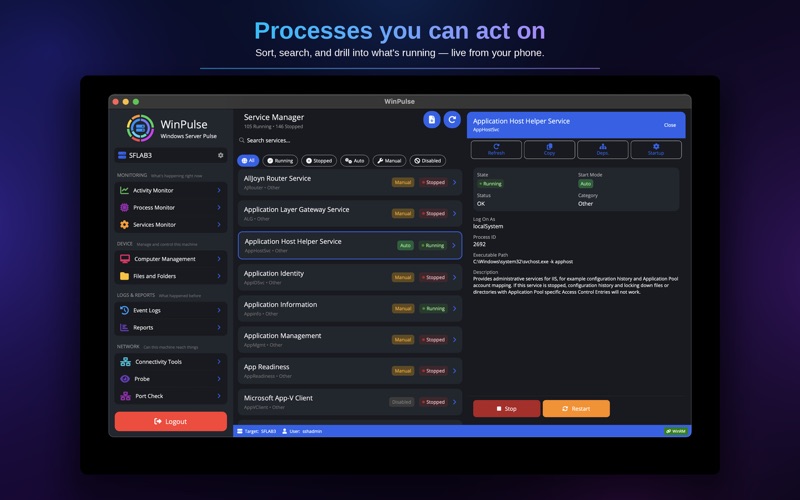
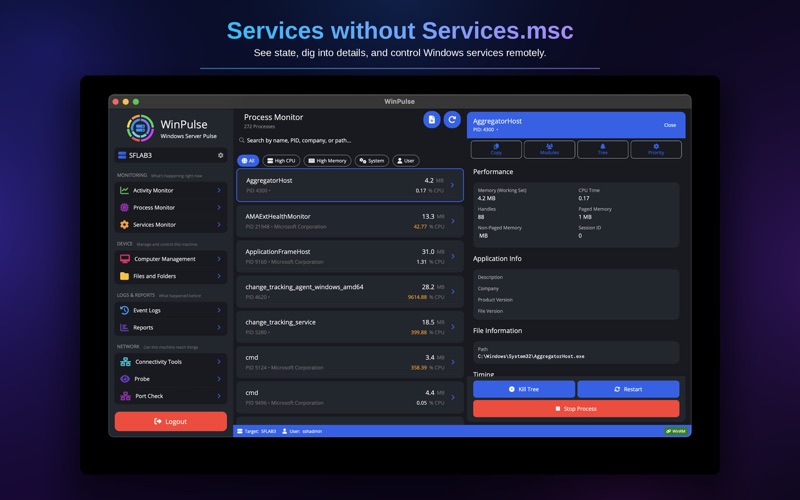
• Process monitor with resource usage, module details, and process control
• Service status with start/stop/restart controls
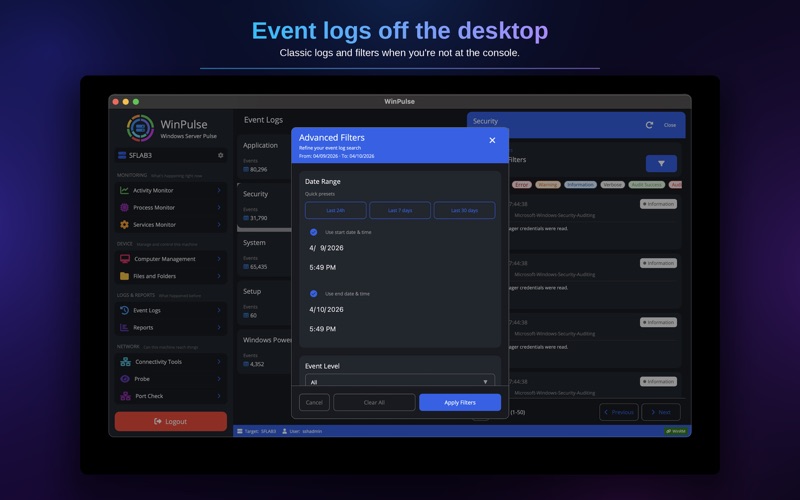
• Event log browser with advanced filtering (ID, level, timeframe, message search)

*System administration*
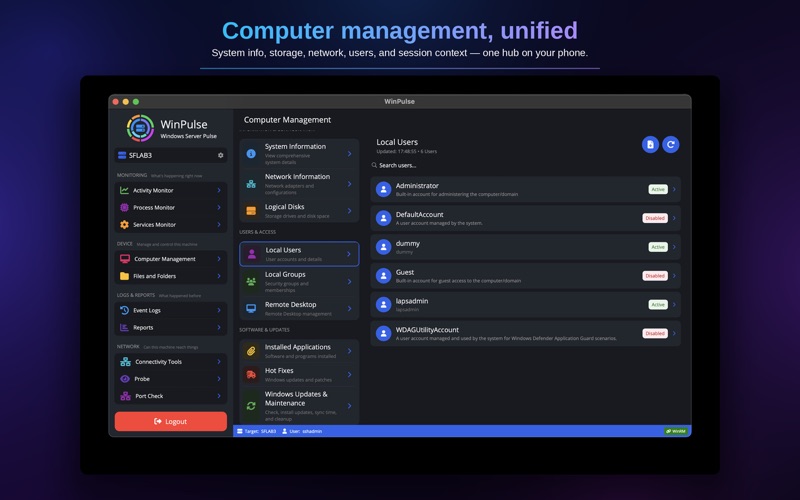
• System information, BIOS details, installed roles, and OS configuration
• Network interfaces with IP configuration and adapter management
• Disk management with capacity, health, and usage metrics
• Local users and groups with membership details
• Installed applications and Windows Updates (view and install)
• Active RDP sessions and connection monitoring

*Operations & control*
• Power management (restart, shutdown)
• Windows Update management
• Group Policy refresh and verification
• Time synchronization diagnostics and repair
• Remote Desktop enable/disable
• User session management and logoff
• Recycle bin management

*Network diagnostics*
Run connectivity tests from your target servers:
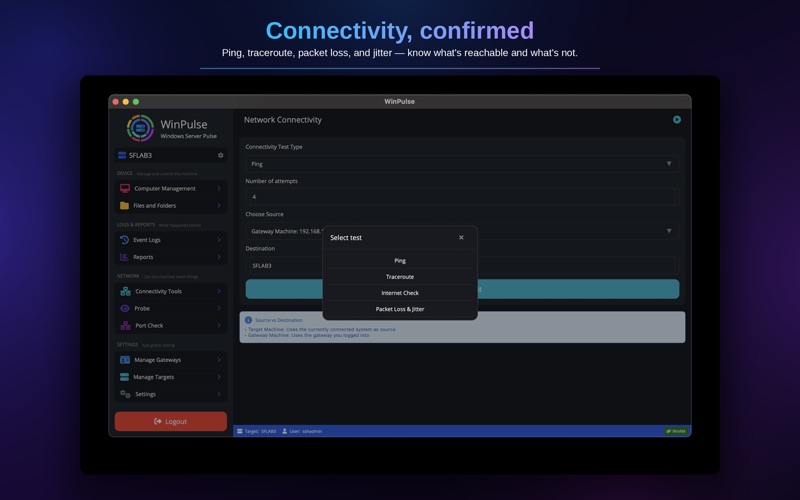
• Ping and traceroute
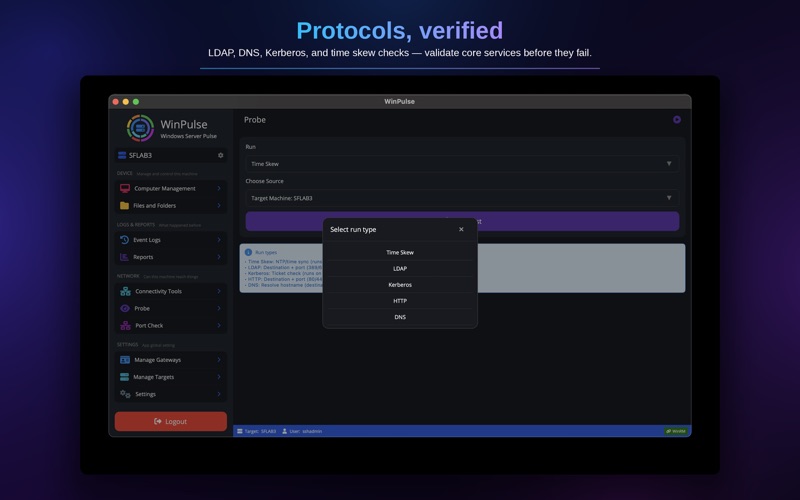
• DNS resolution and lookup
• Port connectivity checks
• HTTP/HTTPS endpoint testing
• Active Directory and Kerberos authentication verification

*File management & reporting*
• Browse, search, and manage remote files and folders
• Security reports: RDP access history, privilege escalation tracking, account lockouts and password changes, failed login analysis
• System health reports: uptime, performance baseline, scheduled tasks, Windows Updates
• Export reports to text/CSV for compliance and analysis

**Multi-target management**
Switch between servers quickly. Save connection profiles for one-tap access across environments (production, staging, DR). One gateway login can be your control plane for many targets.

**Pricing**
Try for up to 14 days with full access. After that, manage up to 3 machines forever at no charge. Subscribe when you need more than three targets. All features included—no tiered feature gates. Cancel anytime in your Apple account settings.

**Support**
Product Page : www.signifium.com/winpulse
Technical questions: https://www.signifium.com/contact/
Direct support: [email protected]

Try for up to 14 days. Request demo environment access through our website.

Privacy Policy: https://www.signifium.com/privacy
Terms of Service: https://www.signifium.com/terms/