Tidro watches your folders and organises files the moment they arrive — automatically,
intelligently, and entirely on your Mac
Tidro watches your folders and organises files the moment they arrive — automatically,
intelligently, and entirely on your Mac. No cloud. No subscription.
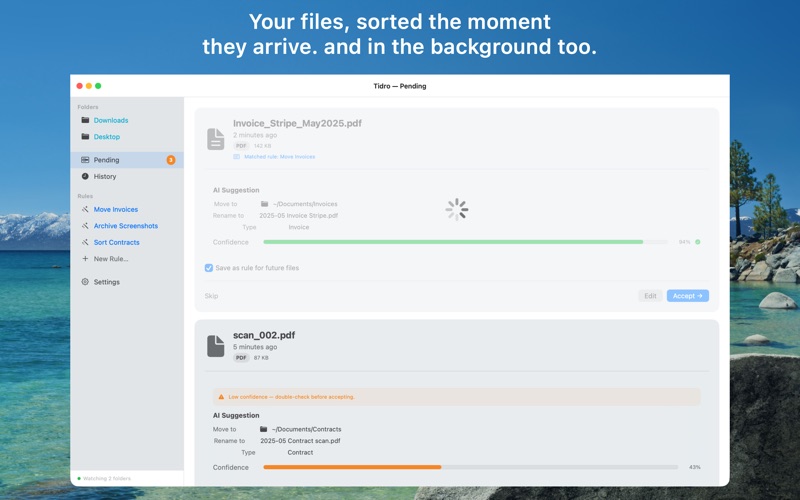
Just order. Drop a file on your Desktop or any folder. Tidro detects it instantly, uses Apple Intelligence to
identify what it is — invoice, receipt, screenshot, contract, photo — and either moves it
automatically or suggests exactly where it should go.

WORKS WHILE YOU WORK

Tidro runs quietly in the background. The moment a new file appears in a watched folder, it
springs into action. By the time you have switched windows, the file is already where it
belongs.

POWERED BY APPLE INTELLIGENCE

On-device classification means your files never leave your Mac.
Tidro reads only the filename and uses Apple's on-device model to
identify document type, sender, and suggested destination — fast, private, and accurate.

RULES THAT LEARN YOUR HABITS

Create rules once and Tidro applies them forever.
Match by file type, filename keywords, or document type. Move PDFs to Invoices/Apple,
screenshots to a Screenshots folder, or anything named "contract" to Contracts —
automatically, without lifting a finger.

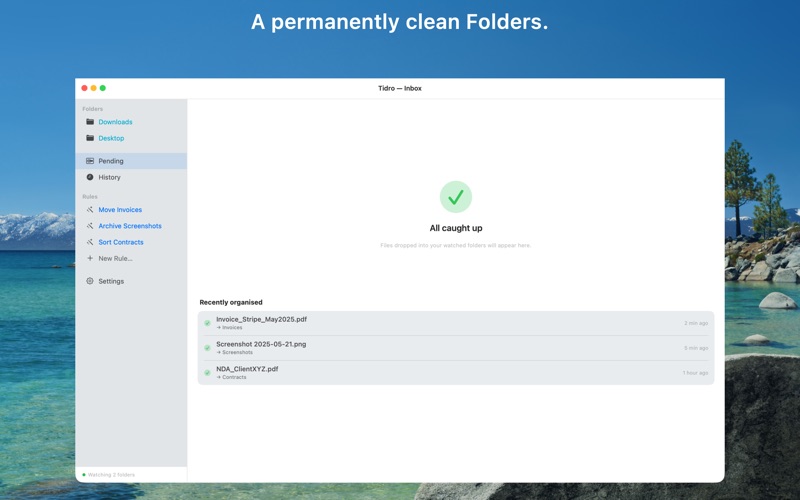
YOUR INBOX, CLEARED

Files that don't match a rule land in your Inbox with an AI suggestion.
Review, adjust if needed, and accept with a single
click. Or let high-confidence files move themselves.

FULL CONTROL, ALWAYS

Undo any move instantly - Exclude specific subfolders from tracking - Enable or disable individual
rules at any time - Review everything before it moves, or let automation handle it WHAT

TIDRO ORGANISES

Invoices, Receipts, Contracts, Screenshots, Photos, Bank
Statements, Manuals, Resumes, Tax Documents, Design Files, and more. FREE TO TRY.

ONE PURCHASE TO UNLOCK.
Tidro includes one rule as is enough to experience the
power of automatic organisation. Unlock unlimited rules with a single one-time purchase. No
subscription. Ever.

Requires macOS 26 or later. Apple Intelligence must be enabled for AI
classification; rules and manual organisations work on all supported Macs.

Privacy Policy: https://3nsofts.com/Tidro/privacy
Terms and conditions: https://3nsofts.com/Tidro/terms