Prune is a fast, local photo library manager for photographers who want control over their own files
Prune is a fast, local photo library manager for photographers who want control over their own files.

Your photos stay exactly where you put them — on your hard drives, external drives, or memory cards. No cloud. No syncing. No hidden fees. Prune just helps you find, rate, and organise them.

FAST AND FOCUSED
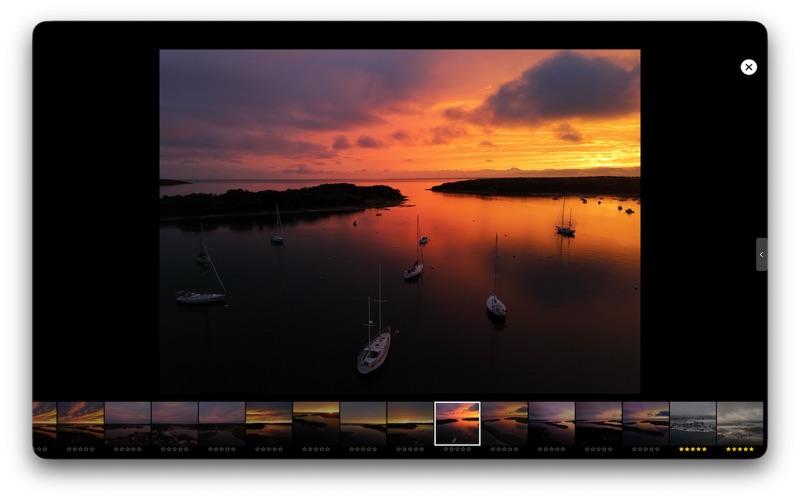
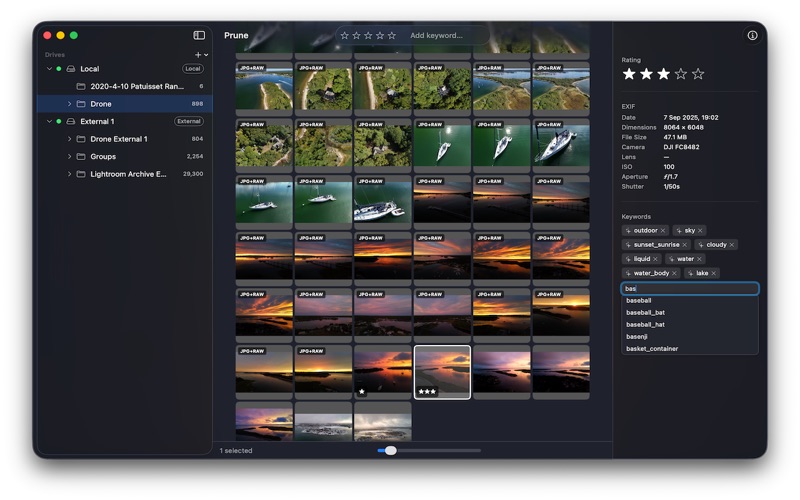
Browse thousands of photos in a smooth, responsive grid. Use the full-screen loupe for detailed review. Navigate with keyboard shortcuts — rate photos with the number keys, move between images with arrow keys, and zoom with a single keystroke.

YOUR DRIVES, YOUR RULES
Add any local or external drive as a library location. Prune tracks your drives by volume — if a drive is offline, your thumbnails and metadata are still accessible. Reconnect the drive and everything picks up where you left off.

RATE AND KEYWORD EVERYTHING
Assign star ratings with the number keys. Add keywords manually or let Prune suggest them automatically using on-device AI — no data ever leaves your Mac. Filter your library instantly by rating or keyword combination.

SAFE FILE OPERATIONS
Every file move is verified with a SHA256 checksum before the source is deleted. Deletes go to the Trash, not into the void. Prune never does anything destructive without checking its work first.

IMPORT FROM CARDS AND FOLDERS
Plug in a memory card or point Prune at any folder to import. Duplicates are detected and handled gracefully. Your originals land exactly where you want them.

OPEN WITH ANY EDITOR
Right-click any photo to open it in your preferred editor — Capture One, Affinity Photo, Pixelmator, or anything else installed on your Mac.

SUBSCRIPTION
Prune requires a subscription after a 14-day free trial. Monthly ($1.49/month) and Annual ($14.99/year) plans are available via in-app purchase. Your subscription can be managed or cancelled at any time in System Settings → Apple ID → Subscriptions.

Prune is for photographers who want a fast, honest tool that respects their files and gets out of the way.

Terms of Use (EULA): https://www.apple.com/legal/internet-services/itunes/dev/stdeula/