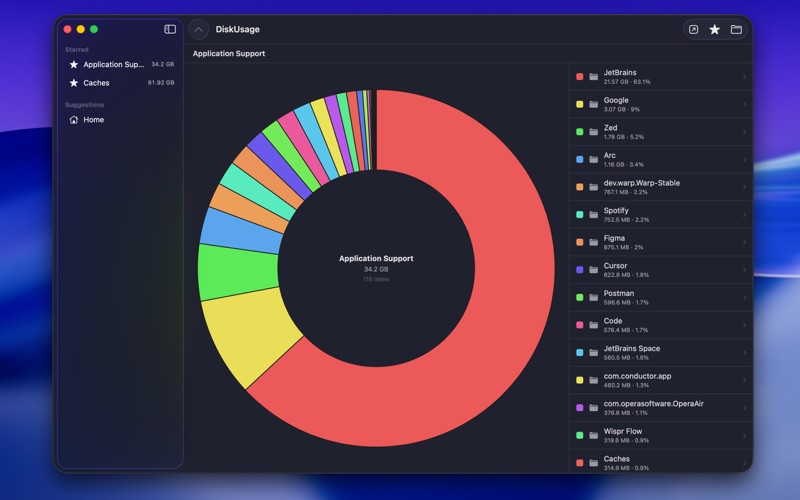
Disk Usage shows you exactly where your disk space is going — folder by folder, at a glance
Disk Usage shows you exactly where your disk space is going — folder by folder, at a glance.

Pick any folder and instantly see its contents laid out as an interactive donut chart. Each slice represents a file or subfolder sized proportionally to its disk usage. Click any slice to drill down and explore deeper. Navigate back up with breadcrumbs or the up button.

Features:
- Interactive donut chart — instantly see what's taking up space
- Drill down into any subfolder with a single click
- Reveal any file or folder in Finder
- Star frequently checked folders for quick one-click access
- Background scanning — starred folders scan in the background so they're ready when you need them
- Suggested locations — quickly analyze common spots like Downloads, Desktop, and Documents