Moniefest turns the numbers you'd rather not think about into a picture you actually understand — and it never leaves your phone
Moniefest turns the numbers you'd rather not think about into a picture you actually understand — and it never leaves your phone.

THE WHOLE PICTURE
Add an expense in seconds — type a merchant and the category picks itself. A category donut shows how each month really breaks down, and a 12-month view shows whether you're drifting up or reining it in.

GO DEEPER
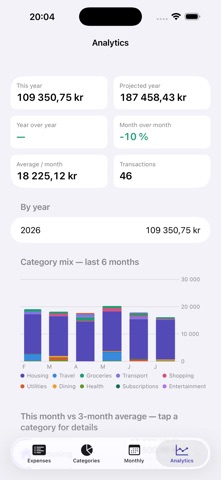
Year-to-date totals, a projection for the year, year-over-year and month-over-month shifts, your top merchants, and a look inside any category.

BRING IN YOUR TRANSACTIONS, THREE WAYS
• Bank file — point Moniefest at a CSV export and it works out the columns, dates, and number style on its own
• Screenshot — no export? Screenshot your bank app's list and Moniefest reads the rows right on your phone
• Screen recording — for a long history, film your screen while scrolling and Moniefest reads the whole clip, skipping the repeats
Every import lands in a review screen first, and nothing doubles up — each row is fingerprinted before it's saved.

NAMES YOU RECOGNIZE
Cryptic bank descriptors become the shops you actually visited — "STORA COOP SUNDBY" reads as "Stora Coop".

GET YOUR DATA OUT
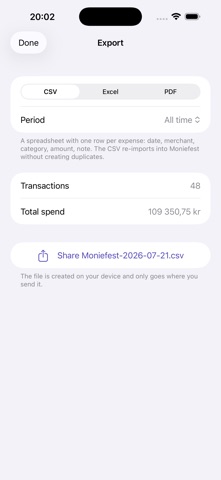
Share your expenses as a CSV or Excel spreadsheet, or a PDF statement grouped by month, any time you like.

YOURS, AND ONLY YOURS
Everything you put into Moniefest stays in Apple's on-device storage. No account, no cloud, no analytics, no ads — your spending is nobody's business but yours.

WORKS ON IPHONE AND IPAD
A tab-based layout on iPhone; on iPad, a single-screen dashboard combines your expense list, category breakdown, and monthly trend side by side.