vBookz Slides is a simple and elegant PDF presentation app built for the iPhone and the iPad
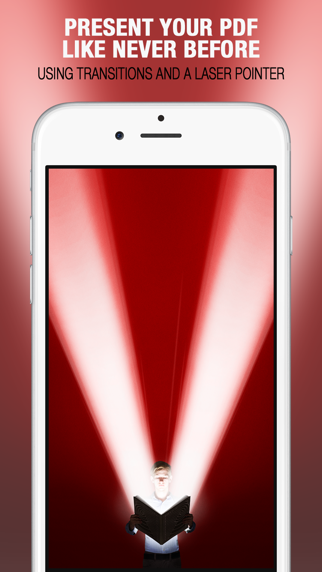
vBookz Slides is a simple and elegant PDF presentation app built for the iPhone and the iPad. It’s intuitive, simple and most powerful . An amazing presentation app which helps you present PDFs with a Power Point look and feel including page switching effects and a ‘laser pointer’.

vBookz Slides is the perfect app if you’re looking to hook up your iPhone and iPad to your Apple TV. It’s feature-rich, brings excellent support for PDF files (it doesn’t support other formats yet).

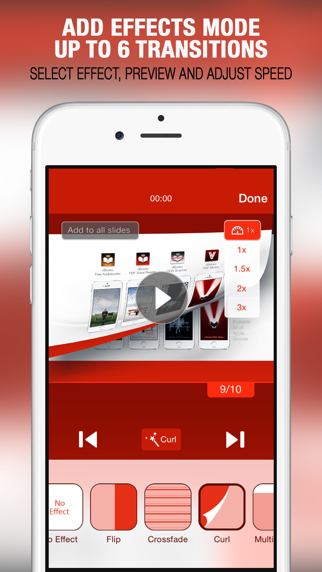
by using a one time in app purchase, vBookz Slides lets you mark on the screen to highlight, show or indicate and even to control the page switching effects. These are a nifty little features that makes presenting using the iPhone and the iPad such a great experience.

Main Features
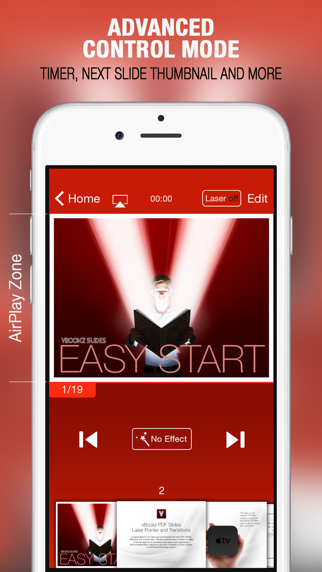
■ Requires AirPlay support - stream presentation slides to Apple TV
■ PDF Presentation mode
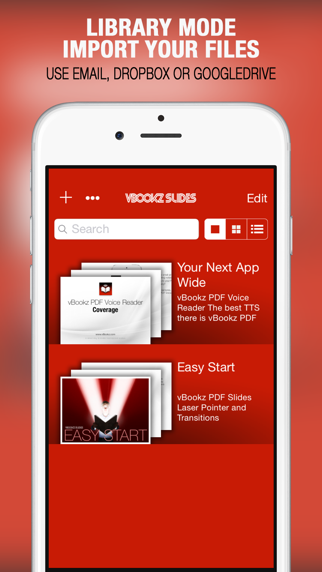
■ Library managing tools
■ Super fast PDF display
■ Support to display PDF as slides in 4:3 or wide 16:9 screen aspect ratio

Presentation Features
■ Mirror display from iPhone and iPad
■ Arrows for page switching and control
■ “Laser Pointer” function - Available only with In App purchase
■ Page switching special effects - Available only with In App purchase
■ "Slide Navigator" for easy preview of your next slides
■ Horizontal position, for a full-screen display mode
■ Presentation timer

PDF Managing Features
■ Download files from Dropbox and Google Drive
■ Using the ‘Open In’ function, open PDF mail attachments directly from your email
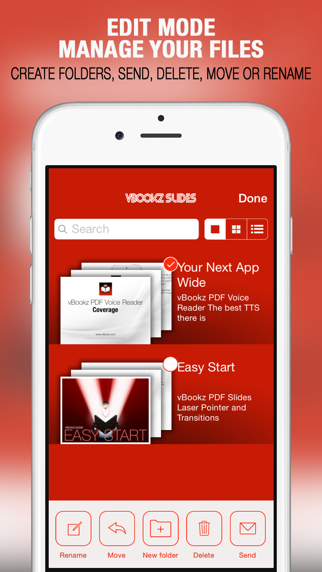
■ Edit features with - move, rename, delete, mail out or organise on local folders
■ Thumbnails are shown in three different library modes

Support PDF File Type
We’re an independent PDF experts, please note that PowerPoint and Keynote files are NOT yet supported.