Style

Screenshots
7 screenshots Grid- Version
- 1.1.2
- Size
- 2 MB
- First release
- Apr 22, 2026
- Category
- Developer Tools
Description
from the App Store listingIntroducing Inserable: The definitive solution for seamless, automated image-to-URL workflows, currently emphasized on Hugo based workflows, and will expand it's possibilities to new file type and workflows in the future.
As the third installment in a specialized file-handling ecosystem, from the developer of Texmorph and Norkta, Inserable represents the fusion of simplicity, easy of use and privacy. Inserable is engineered to eliminate the persistent friction of broken links and asset integrity issues that plague Markdown and document editing. It serves as the essential bridge between your local assets and your documents, ensuring that every modification is synchronized across your file system, your version control repository, and your workspace simultaneously.
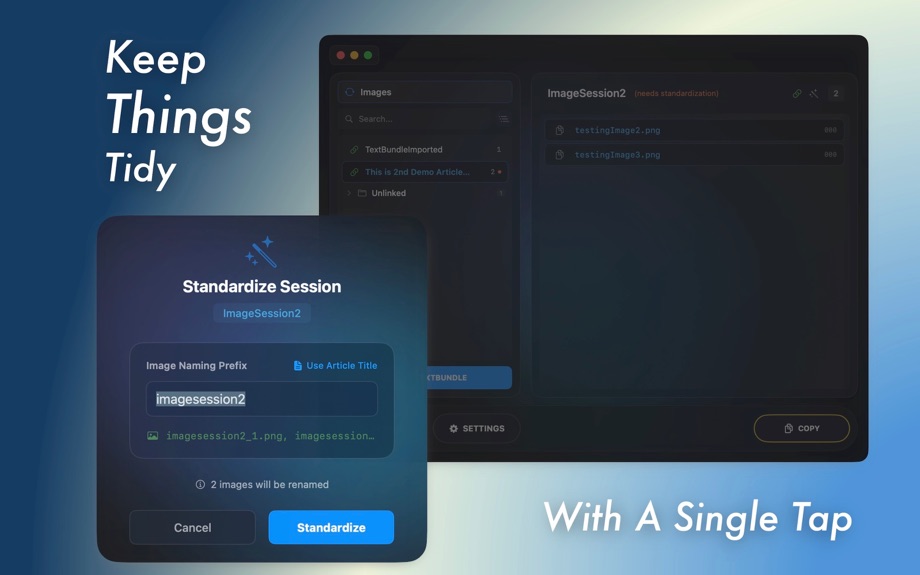
At the core of Inserable is the Session: a fundamental unit that establishes a strict 1-to-1 bijection between an article and its dependencies. This relationship is enforced without compromising your existing file hierarchy. By automating the standardization of filenames and directory structures, Inserable ensures that your project remains tidy and your references remain valid.
//
Key Features:
- Automated Picture-to-URL Engine: Eliminate the manual overhead of renaming files and typing complex paths. When you drag an image into Inserable, the application standardizes the filename, moves it to the correct project directory, and generates a formatted Markdown link ready for your clipboard.
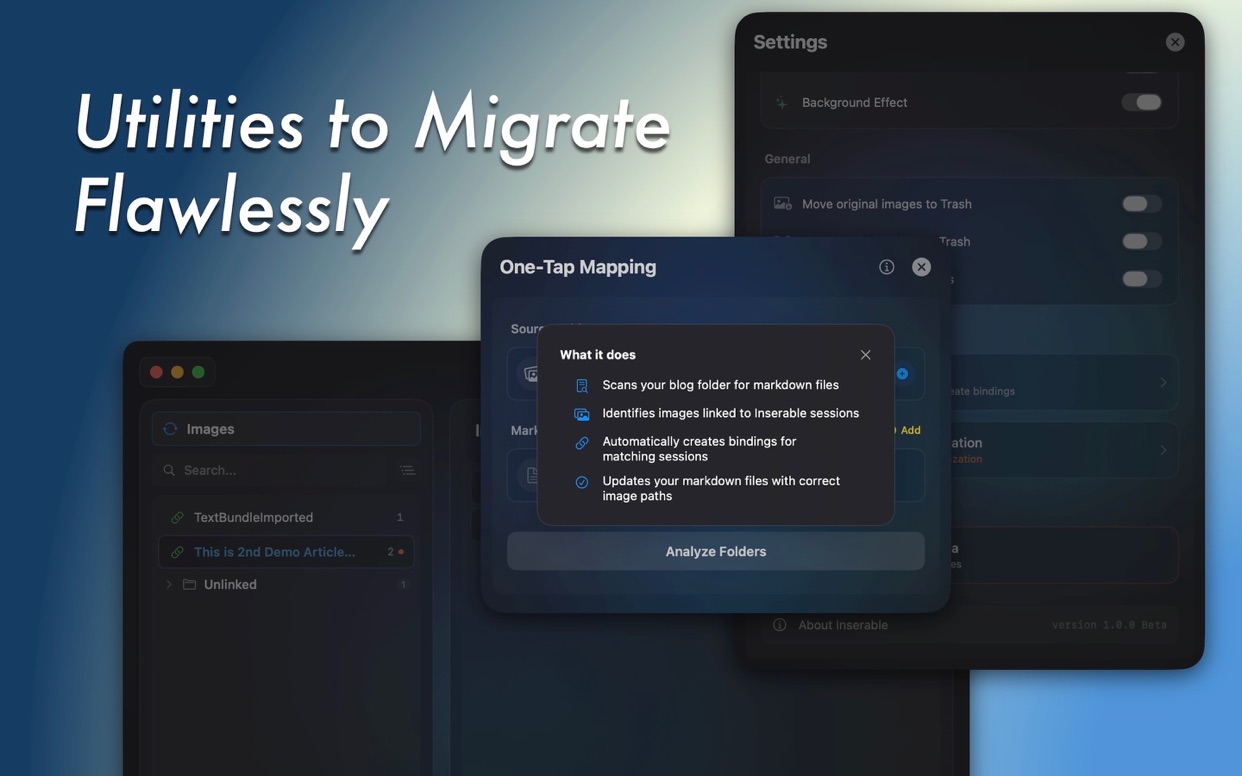
- Utilities that Really Helps: Already have a messy folder that Inverable refuse to load? One-Tap Mapping has got your back. Just as the name suggests, everything done automatically with transparency. It handles your scattered pictures into session folders and bound them with the related markdown files, creating unique bijection relationship while kept all operation logs on your download folder.
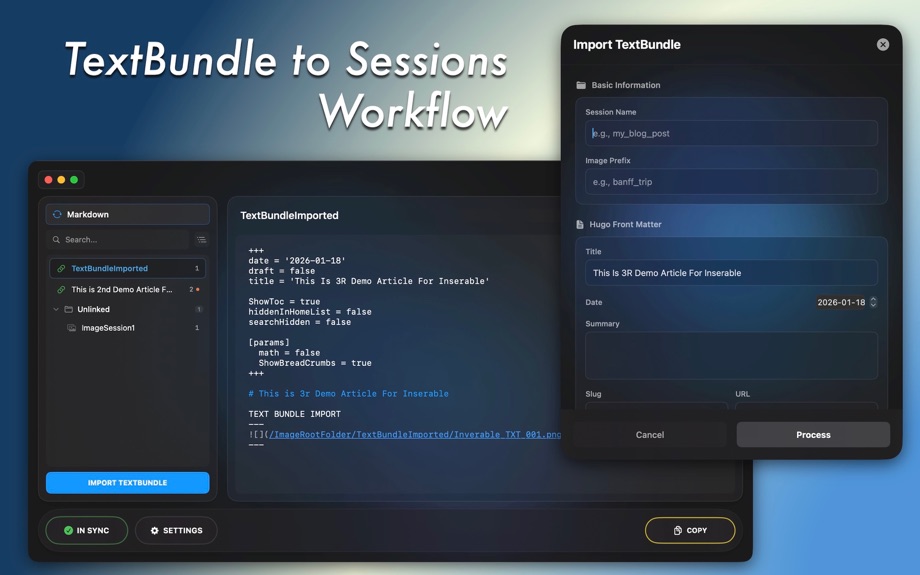
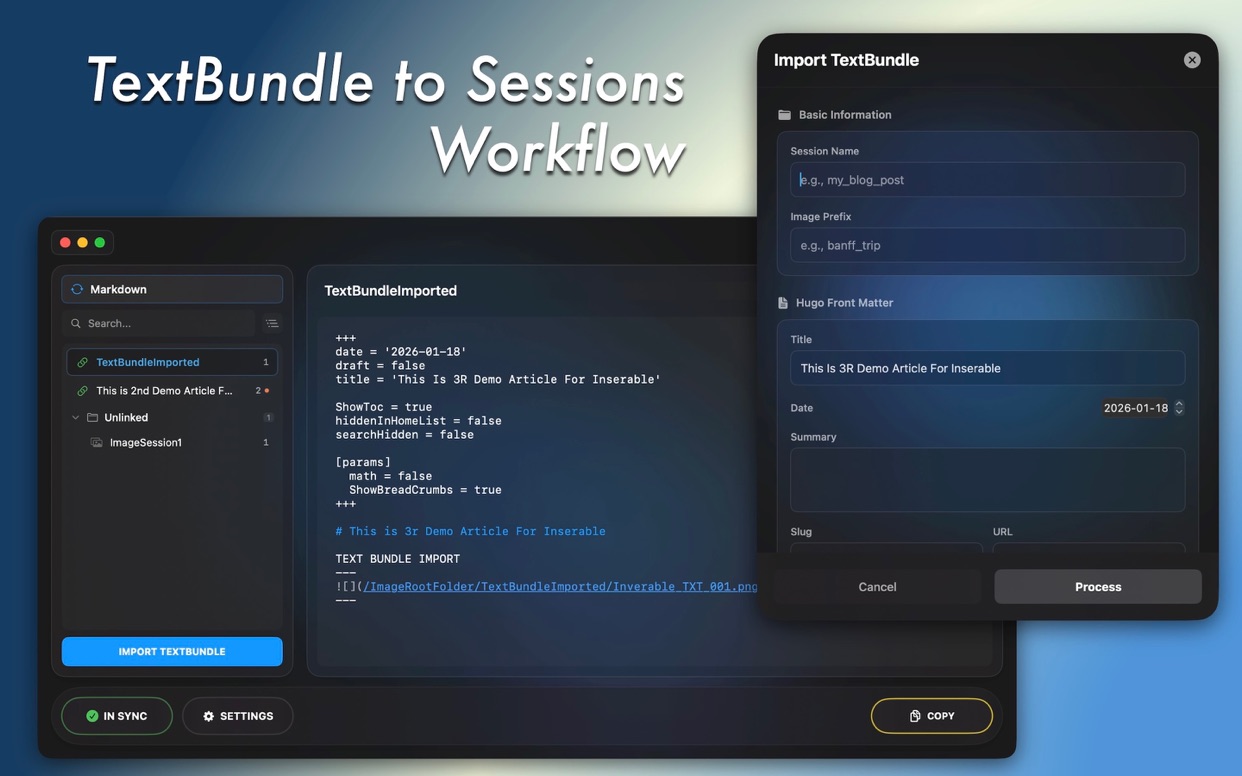
- TextBundle to Hugo Conversion: Designed for writers using modern markdown editors, Inserable converts exported TextBundles into production-ready formats for Hugo static sites, automatically rewriting asset links and injecting necessary Front Matter headers.
- Sync Everything: Acting as a guardian for your asset folders, Inserable detects external changes or missing files. The mirroring system ensures your local directory always allow you to recovery from last back up.
- Performance Matters: Built with Swift and SwiftUI, Inserable provides a high-performance, lightweight experience for macOS.
//
Whether you are a developer maintaining a static site or a technical writer managing complex documentation, Inserable transforms asset management from a manual chore into a background process. While Hugo is the initial launchpad, the roadmap for Inserable includes expanding this level of automated precision to a wider range of document standards.
Optimize your workflow and restore order to your file system with Inserable.
---
Developed by Zixiang Zhang With Love
Privacy Policy: https://www.zixiangzhang.com/apps/Inserable/inserablePrivacy.html
User Manual: https://www.zixiangzhang.com/apps/Inserable/user-manual.html
What users say
0 written reviewsNo written reviews yet
Share cards #
Instagram / Weibo / RED open the system share sheet with the generated card image
Inserable
Developer Tools
Free
iOSAppGallerywww.iOSAppGallery.com

Inserable
Developer Tools
Free
Scan to view
iOSAppGallery · iOSAppGallery.com
Discover iOS apps & games
Inserable
Developer Tools
Free
Scan to view
iOSAppGallery · iOSAppGallery.com
Discover iOS apps & games
Inserable
Developer Tools
Free
iOSAppGallerywww.iOSAppGallery.com





{"@context":"https://schema.org","@graph":[{"@type":"SoftwareApplication","name":"Inserable","applicationCategory":"Developer Tools","operatingSystem":"iOS","url":"http://www.iosappgallery.com/en/share/6757897632","image":"https://is1-ssl.mzstatic.com/image/thumb/Purple211/v4/d7/d0/5a/d7d05ad4-bb53-a2fd-9cee-146c650493c9/AppIcon-0-0-85-220-0-5-0-2x.png/512x512bb.png","aggregateRating":null,"offers":{"@type":"Offer","price":0.000,"priceCurrency":"CNY"}},{"@type":"BreadcrumbList","itemListElement":[{"@type":"ListItem","position":1,"name":"Apps","item":"/"},{"@type":"ListItem","position":2,"name":"Developer Tools"},{"@type":"ListItem","position":3,"name":"Inserable"}]}]}