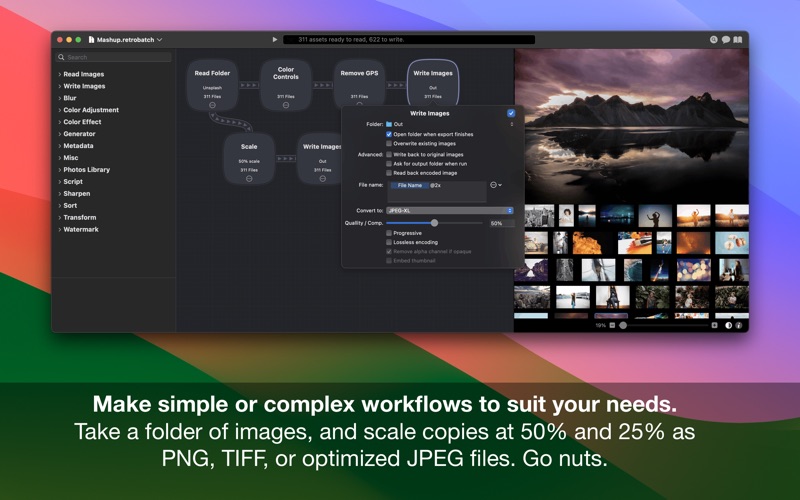
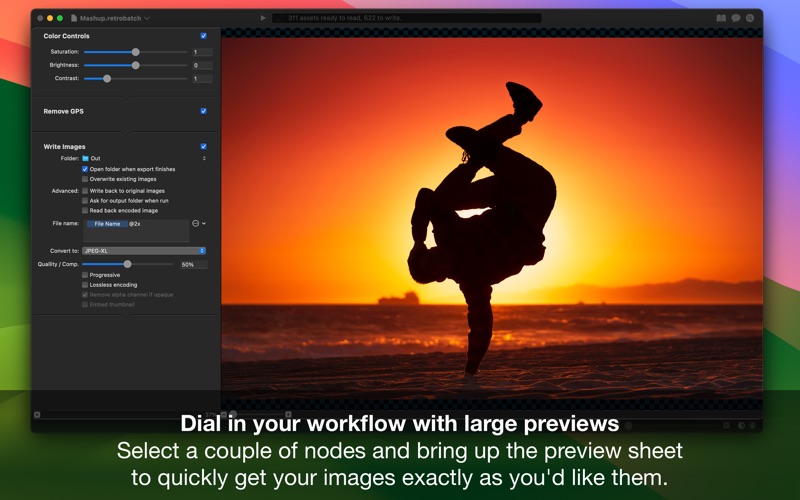
Retrobatch is a flexible node based batch image processor, which means you can mix, match, and combine different operations together to make the perfect workflow
Retrobatch is a flexible node based batch image processor, which means you can mix, match, and combine different operations together to make the perfect workflow.

# It's Super Charged
There’s a node for every option. Change the DPI, rotate, incorporate Machine Learning, and add custom behaviors with JavaScript to name just a few. Optimize your images for fast delivery over the Internet.

# Batch Process
Process one image or thousands of images, with support for reading and writing common file formats. Create multiple inputs and multiple outputs.

# Metadata - Edit, Add, and Wipe
• Remove and add location data such as GPS coordinates.
• Add copyright tags, author information, and more to your images.
• Remove all metadata tags prior to uploading images to social media sites.
• Filter out images based on image dimensions, megapixels, file format, or other criteria.
• Do all this, without changing and recompressing image data, keeping image fidelity 100% intact.

# Transform - Resize, Crop, Trim, and Rotate.
• Trim all transparency from the edges of images.
• Rotate images by any amount.
• Crop images by a fixed amount, percentage of width or height, anchored to edges, or by aspect ratio.
• Scale your images and write out optimized @2x versions of your images.
• Retrobatch is great for quickly preparing images for web and app development.

# Convert - Color Profiles, Formats, and More.
• Convert images to HEIC, JPEG, JPEG-XL, PDF, PNG, WebP, or TIFF.
• Rewrite HEIC images to JPEG and other formats.
• Edit, assign, or strip color profiles from your images.
• Assign Display P3 profiles to images, and write the images with a _dp3 suffix.
• Convert images to or from CMYK, sRGB, Display P3, or Grayscale.
• Brute force crush PNG files, or create indexed 8 bit PNG images.
• Split and separate multipage and multilayer images into single images.

# Watermark - Text and Images.
• Use Retrobatch to watermark your images in a variety of ways.
• Adjust watermark transparency, blending mode, and placement.
• Use metadata tags to watermark, including image capture date, file name, author, and many more.

# Photo Effects, Filters, and Blurs.
• Apply filters such as Film Grain, Grayscale, Chrome, Fade, Instant, Mono, Noir, Process, Sepia, Tonal, and Transfer.
• Add borders and drop shadows to your images.
• Add gaussian or box blurs.
• Remove noise from photos, or use sharpen filters.
• Use the matte node to remove transparency from images.
• Invert color negatives or create color negatives.

# Machine Learning and Super Resolution
• Super-resolution image scaling, powered by alien technology nobody really understands.
• Auto-straighten images with the new Auto Level node.
• Recognize text in images and filter images using the Rules node or via JavaScript.
• Use rules to remove images from your workflow based on attributes such as color profile, file format, size, and orientation.
• Take advantage of machine learning to classify your image for processing.

# JavaScript and Automation
• Run Retrobatch workflows via Shortcuts.
• Create and distribute custom plug-ins written in JavaScript.
• Write scripts to extract or alter meta-data.

# Screenshots, Symlinks, Clipboard.
• Watch the clipboard and automatically run a workflow when a new image is copied to it.
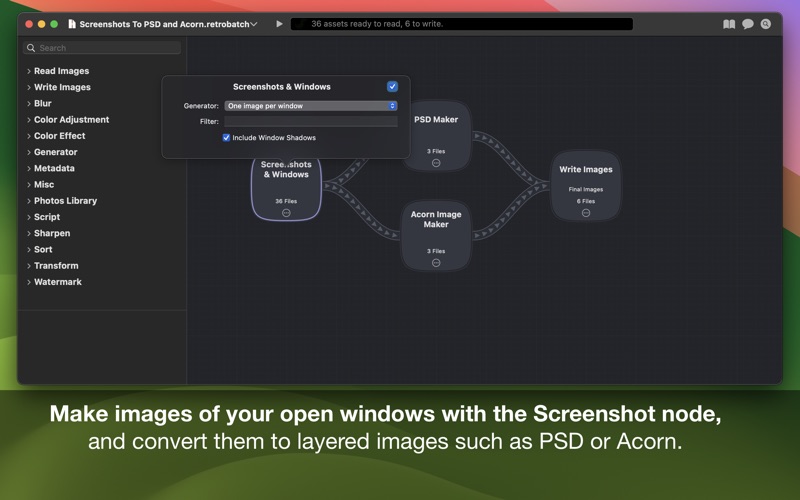
• Create a workflow to capture all the open windows on your Mac, and write them out as individual PNGs, or a multilayered PSD.
• Export all your Selfies from Photos, resize, and apply filters.
• Split out images from animated GIFs, PNGs, multipage TIFF files, PDF pages, and ICNS files into individual images.
• Read an image from the clipboard, apply a drop shadow, and write it right back to the clipboard to paste into another app.
• Read an image from the clipboard, add a watermark, and write it out to a folder to upload to an online service.

Privacy and Terms of Use: https://flyingmeat.com/privacy/