CourseFlowX — Master Your Video Courses

Stop watching. Start learning.

CourseFlowX is the macOS video player built specifically for learners who are serious about getting through their video library. Whether you're working through a programming bootcamp, a design masterclass, a professional certification, or a collection of YouTube tutorials you've been meaning to actually finish — CourseFlowX keeps you focused, organized, and moving forward.

Built for Courses, Not Movies
Open any folder of video files and CourseFlowX instantly organises them into sections, mirroring the folder structure of your course. No importing, no library setup, no subscriptions. Each section can be sorted independently — by name or date modified, ascending or descending — with a single click on the folder header.

Extract the Moments That Matter
CourseFlowX includes a precision segment extraction tool. Press I to mark an in-point, O to mark an out-point, and E to export the segment as a full-quality MP4 — saved automatically to your Downloads folder with a filename that encodes the timestamp and source title. Build a personal recap library from your courses. Extract the best moments from YouTube tutorials. Create a folder of technique clips for home improvement projects, a device mastery library, or a language learning phrase bank. Three keystrokes. No video editor required.

Capture Ideas Without Breaking Flow
Press C to copy the current video frame directly to your clipboard. Paste it into Notion, Apple Notes, Obsidian, or any notes app — no screenshots, no cropping. Press T to copy the video title and duration as formatted text. A confirmation toast appears and fades without interrupting playback.

Power Keyboard Shortcuts
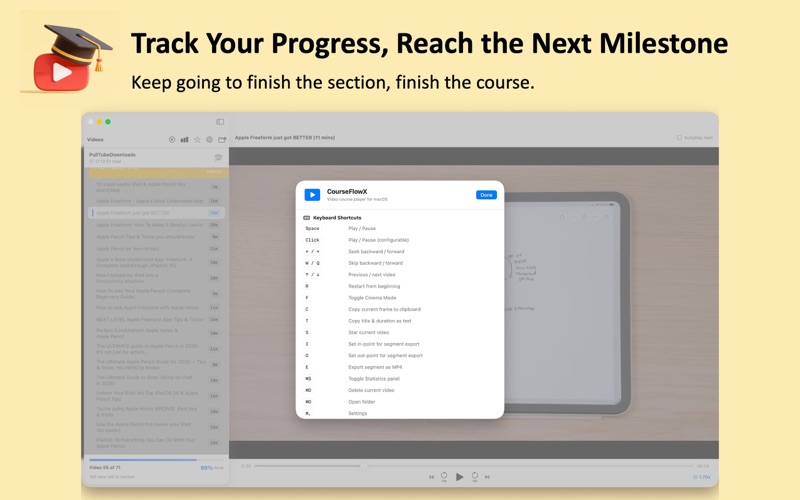
• Space or click — Play / Pause • C — Copy current frame • T — Copy title and duration • Q / W — Skip forward or back (configurable, default 20 s) • I / O / E — Set in-point, out-point, export segment • R — Restart from beginning • ← / → — Seek • ↑ / ↓ — Previous / next video • S — Star video • F — Cinema Mode • ⌘D — Delete video • ⌘S — Statistics • ⌘, — Settings

Track Your Learning
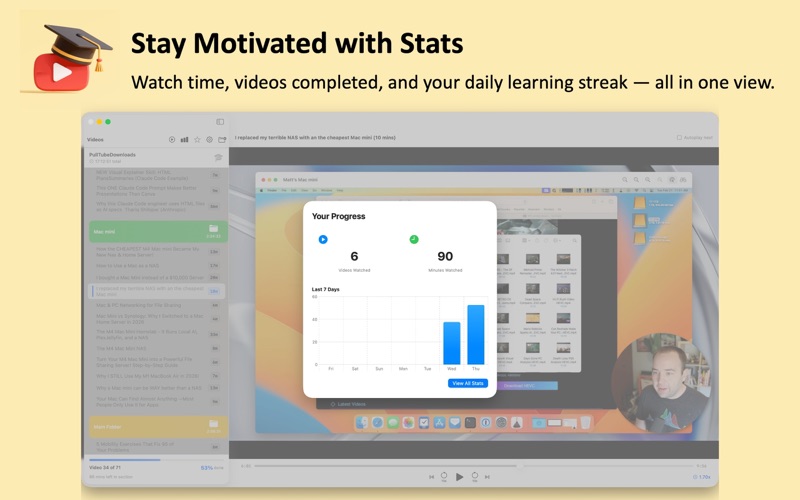
⌘S opens the Statistics panel: total videos watched, total hours consumed, and a chart of your viewing activity over time. Playback pauses automatically when Statistics opens and resumes when you close it.

Stay in Control of Your Playlist
Star videos and filter the sidebar to show only starred content. Autoplay Next advances through the playlist automatically. Rename any video from the right-click menu — the playlist re-sorts instantly. Reload folder contents with ⇧⌘R to pick up new downloads. Delete with ⌘D, with optional confirmation.

Cinema Mode
Press F to strip away every UI element and fill your screen with nothing but the video. Press F again to return. Perfect for dense slide-based lectures where every pixel counts.

CourseFlowX is for learners who treat their time seriously.