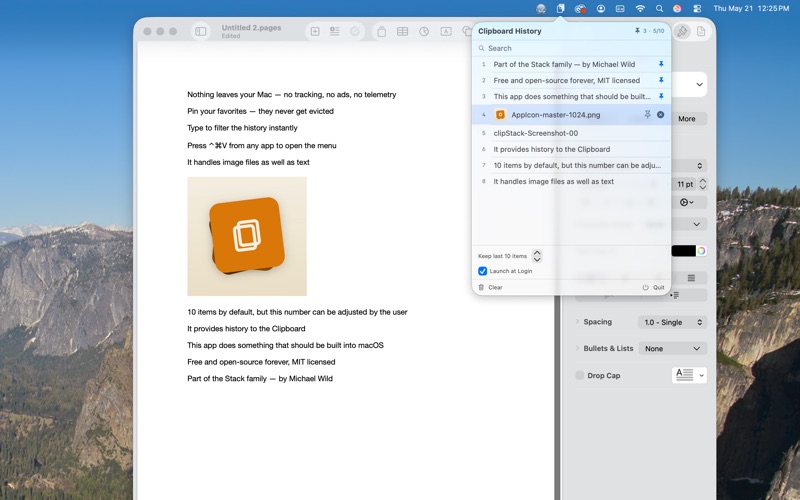
clipStack lives in your menu bar and remembers the last things you copied — text, images, or files
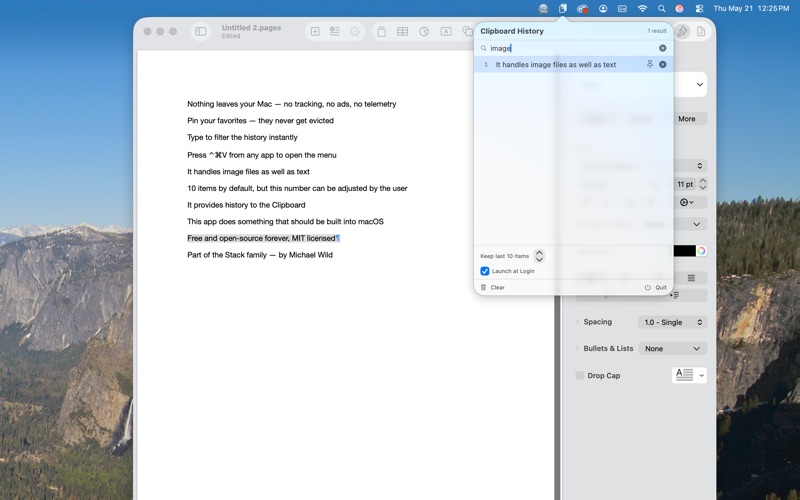
clipStack lives in your menu bar and remembers the last things you copied — text, images, or files. Click any item to put it back on the clipboard. Opt-Shift-Cmd-P opens the menu from anywhere; start typing to filter; click to paste.

Free forever. Open source. No accounts, no telemetry, no ads, no upgrade prompts.


WHAT YOU GET

• Menu bar clipboard history — text, images, and files in one list
• Global hotkey (Opt-Shift-Cmd-P) from any app — fully keyboard-driven if you want it
• Always-visible search field, auto-focused when the menu opens
• Pin favorites — pinned items never get evicted, even when the cap is hit
• Configurable history size (5–50 items, default 10)
• Image previews and file thumbnails in the menu
• Image files round-trip as real images — paste a copied image file into Pages, Mail, or any rich app and it embeds inline
• Launch at login (toggle from the menu, also visible in System Settings → General → Login Items)
• Respects org.nspasteboard.ConcealedType — password managers that mark passwords as concealed are skipped, so 1Password / Bitwarden / Keychain copies don't end up in your history
• Lives in the menu bar with no dock icon


PRIVACY BY DEFAULT

Nothing leaves your Mac. Clipboard history is stored locally on your machine; image data is cached inside the app's sandbox container. No network requests, no analytics, no crash reporting, no third-party services. Full policy at github.com/planBe/ClipStack/blob/main/PRIVACY.md


REQUIREMENTS

• macOS 13 Ventura or later
• Around 3 MB on disk
• Zero third-party dependencies — pure Swift and AppKit


OPEN SOURCE

MIT licensed. Source code at github.com/planBe/ClipStack. Issues, pull requests, and feature ideas welcome — the codebase is intentionally small (around 720 lines of Swift across six files) so it's easy to dive in.


ABOUT

clipStack is the first app in the Stack family — small, free, open-source macOS utilities that each fill a real gap the paid Mac App Store leaves open. More on the way: TimeStack (always-on-top overlay timers), ColorStack, LinkStack, JotStack.

Made by Michael Wild – plan Be creative.