


Description
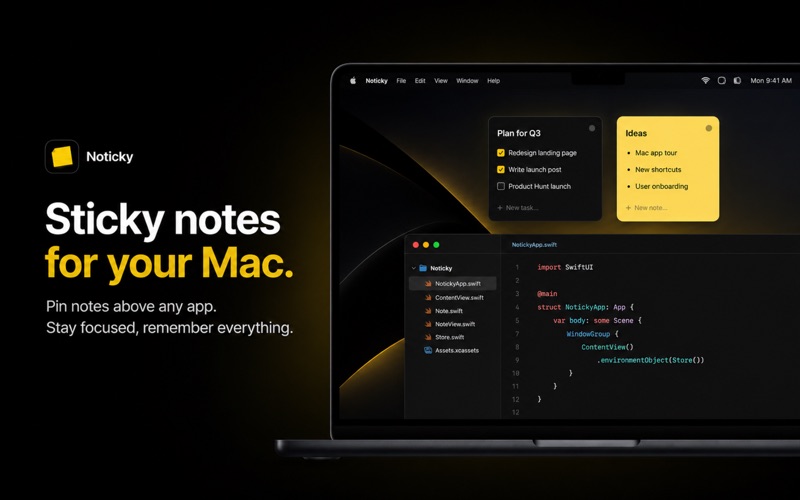
Noticky puts colorful sticky notes on your desktop that stay on top of every window
Noticky puts colorful sticky notes on your desktop that stay on top of every window. Capture ideas instantly without switching apps.

ALWAYS ON TOP

Your notes float above everything — browsers, code editors, Figma, video calls. Never lose sight of important information while you work.

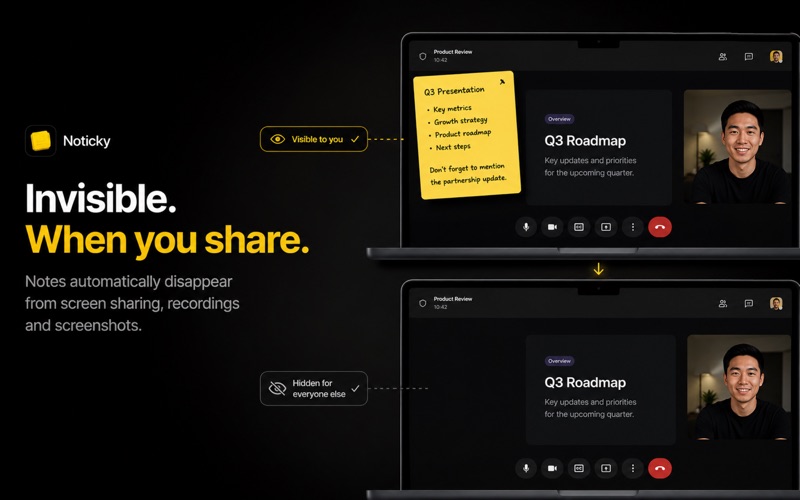
HIDDEN DURING SCREEN SHARING

Keep your notes private without changing the way you work. Notes automatically disappear from screen sharing, screen recordings, and screenshots while remaining fully visible to you.

INSTANT CAPTURE

Press a keyboard shortcut from any app to create a note in seconds. No context switching. No interruptions. Just type and keep going.

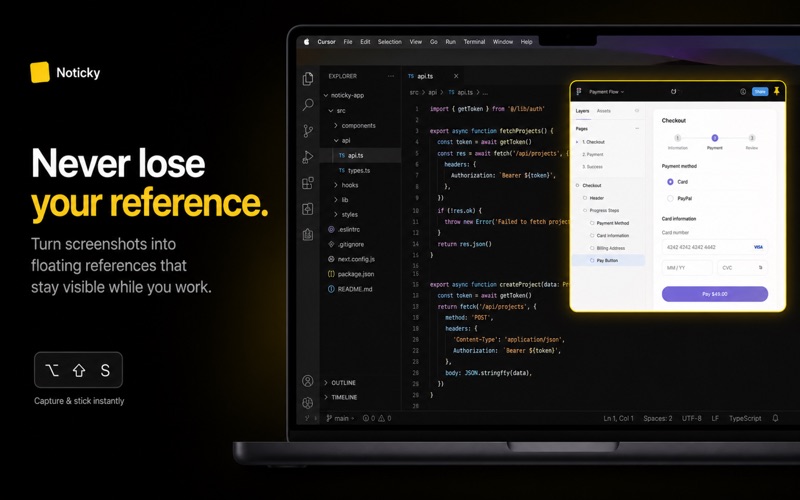
STICKY SCREENSHOTS

Turn any screenshot into a floating reference instantly. Keep designs, docs, or code snippets visible while you build.

FLOATING IMAGES

Pin images as lightweight overlays. Resize them, adjust opacity, round corners, lock them in place, enable click-through, or double-click to zoom.

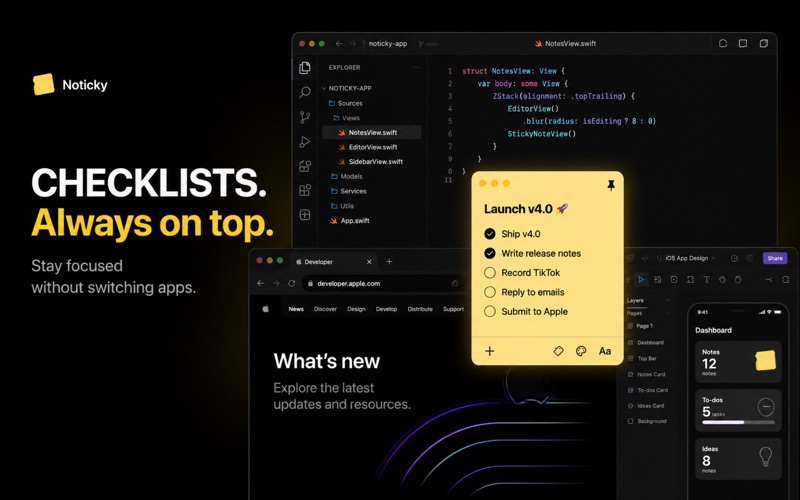
CHECKLIST NOTES

Transform notes into interactive task lists with clickable checkboxes, live completion progress, and quick task creation with Enter.

SMART STICKY ACTIONS

On supported Macs, Smart Sticky can explain, simplify, rewrite, summarize, translate, generate action plans, or instantly convert notes into checklists—with animated in-note feedback while it works.

MCP AI INTEGRATIONS
Connect MCP-compatible AI assistants to your sticky notes. Securely search, read, create, update, archive, and organize notes using clear, configurable permissions. Setup is guided directly from Settings, and access can be revoked at any time.

POPCLIP SUPPORT

Send selected text directly into a floating note using the Noticky PopClip extension. Install it in one click from Settings.

LAYOUT MODES

Choose between Free, Stack, and Tile layouts. Arrange notes exactly the way you want and switch layouts instantly with a keyboard shortcut.

HOT CORNER

Open Quick Capture by simply moving your cursor into a screen corner. No keyboard shortcut required.

MENU BAR ACCESS

Create notes, browse existing ones, or open the Notes Board directly from the menu bar. No Dock icon required.

MARKDOWN SUPPORT

Format notes with headings, bold, italic, lists, code blocks, quotes, and checklists.

NOTE STYLES

Personalize your workspace with beautiful note styles including Classic, Receipt, Blueprint, Terminal, and Cork.

WIDGETS

View your notes directly from your desktop or Notification Center with multiple widget layouts.

ICLOUD SYNC

Automatically sync notes across all your Macs.

TAGS & REMINDERS

Organize notes with tags and schedule reminders so nothing gets forgotten.

TEMPLATES

Save reusable note templates for recurring workflows like meetings, standups, or checklists.

More features

• Always-on-top floating notes
• Customizable global shortcut
• Sticky Screenshot shortcut (customizable)
• Follow notes across Spaces & full-screen apps
• Hide from screenshots, recordings & screen sharing
• Drag & drop images into notes
• Share menu support for floating images
• Search across all notes
• Soft delete with Trash recovery
• Lock notes with Touch ID or your Mac password
• 10 beautiful note colors
• Lightweight — menu bar app with minimal resource usage
• MCP support for compatible AI assistants
• Configurable read and write permissions
Category: ()
Version: 1.7.4
BundleId: tryhardp.Noticky
Developer: Leonidas Mbuembue Nyunyi
Updated: 2026-07-30
