Style

Screenshots
10 screenshots Grid- Version
- 1.1.1
- Size
- 3 MB
- First release
- Aug 26, 2026
- Category
- Photo & Video
Description
from the App Store listingWhile modern cameras already know most of the settings a photographer is using, including which lens is being attached with which aperture, etc., there's currently no way to determine which filters have been attached to the lens.
Since I want my photos in my Lightroom library to have certain keywords for the filters I used, it was always a hassle to get that right in the aftermath. This is where PhotoTagger comes into place.
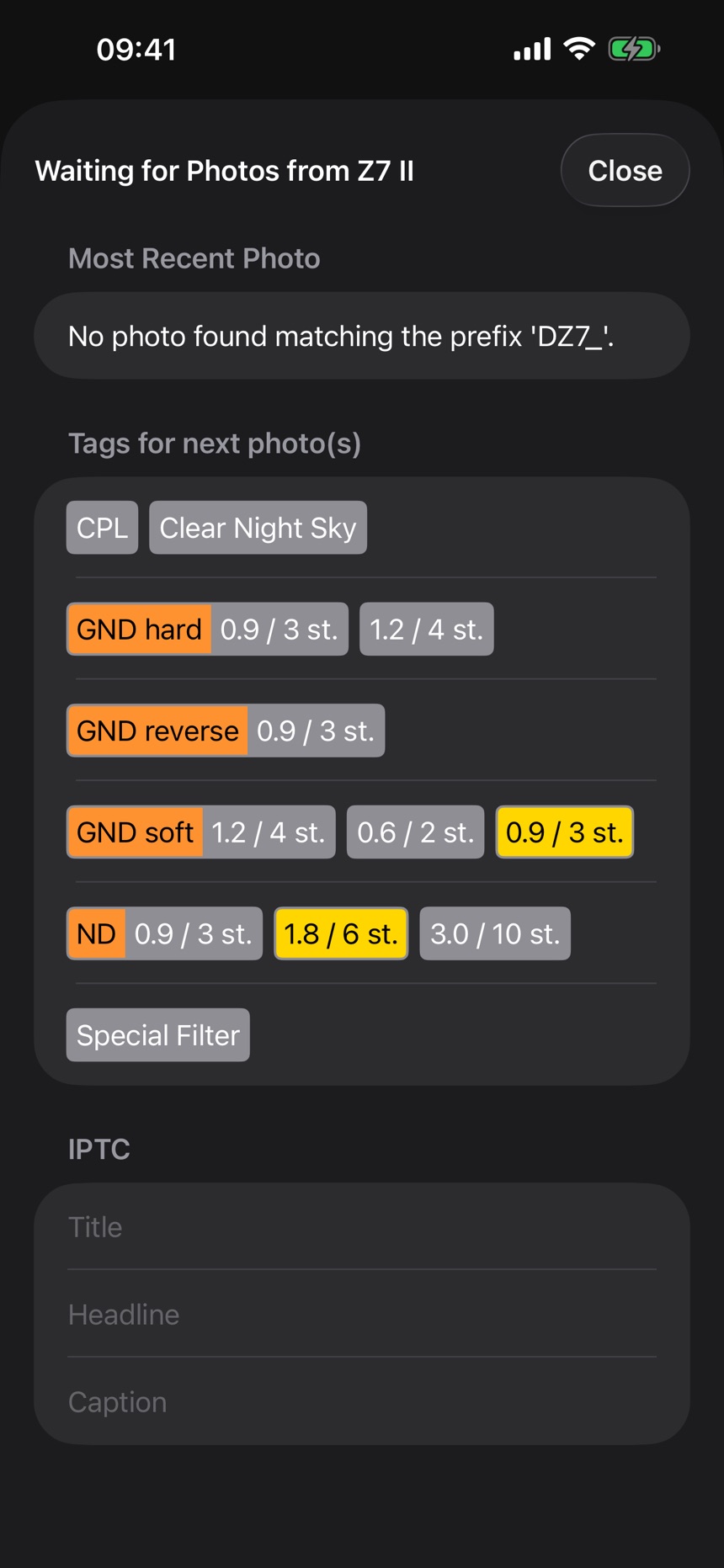
With the iOS app a photographer can quickly select the attached filters and save them as tags (aka keywords) referencing the currently taken image. Additionally there's the option to also add title, headline, and description, which comes in handy when someone tells you which kind of bird it is you're photographing right now. No need to open another notes app in order to remember this, and it's all stored directly to the photo you're taking.
After importing the images into your photo library, a file can be exported from the app that contains the image names and the tags added.
If you're using Adobe® Lightroom® Classic, you can import this file directly with the help of the provided, free Lightroom plug-in into your Lightroom library, so that your photos are correctly tagged.
If you're using some other app, it may also be possible to import the file, since it's a simple text file which can easily be read and parsed.
The iOS app is designed to be able to quickly select the buttons when in the field and to not disturb with bright light when taking photos in the night. For that there's only one fixed dark mode available and big buttons that are not common in other iOS apps, but help touching, especially when using gloves.
The automatic mode is tested with a modern Nikon camera and the SnapBridge companion app.
What users say
0 written reviewsNo written reviews yet
Share cards #
Instagram / Weibo / RED open the system share sheet with the generated card image
PhotoTagger
Photo & Video
Free
iOSAppGallerywww.iOSAppGallery.com


PhotoTagger
Photo & Video
Free
Scan to view
iOSAppGallery · iOSAppGallery.com
Discover iOS apps & games
PhotoTagger
Photo & Video
Free
Scan to view
iOSAppGallery · iOSAppGallery.com
Discover iOS apps & games
PhotoTagger
Photo & Video
Free
iOSAppGallerywww.iOSAppGallery.com




{"@context":"https://schema.org","@graph":[{"@type":"SoftwareApplication","name":"PhotoTagger","applicationCategory":"Photo \u0026 Video","operatingSystem":"iOS","url":"http://www.iosappgallery.com/en/share/6499270660","image":"https://is1-ssl.mzstatic.com/image/thumb/Purple211/v4/42/c8/31/42c83111-9b02-4a39-2087-4ee178c04411/AppIcon-0-0-1x_U007ephone-0-1-85-220.png/512x512bb.jpg","aggregateRating":null,"offers":{"@type":"Offer","price":0.000,"priceCurrency":"CNY"}},{"@type":"BreadcrumbList","itemListElement":[{"@type":"ListItem","position":1,"name":"Apps","item":"/"},{"@type":"ListItem","position":2,"name":"Photo \u0026 Video"},{"@type":"ListItem","position":3,"name":"PhotoTagger"}]}]}