Simple Camera Scanner helps you Scan the documents and turn them into straightened, readable images or PDFs
Simple Camera Scanner helps you Scan the documents and turn them into straightened, readable images or PDFs. The camera uses on-device intelligence to find the page, guide you with color-coded readiness, then walks you through corner alignment, preview, and save or export.

Scan with confidence:
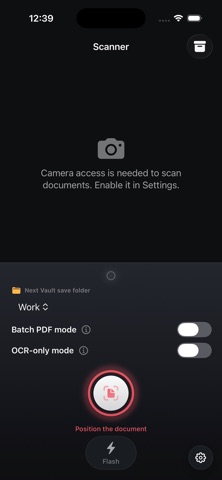
You’ll see alignment hints from “position the document” to “ready to capture,” so you know when edges look strong. Tap the viewfinder to focus, use flash when lighting is poor, then use the large shutter—its ring reflects scan quality before you shoot.

Choose how you scan:
Pick a folder label for the next save (Personal, Work, Taxes, or Uncategorized). Turn on Batch PDF mode to build multi-page PDFs (up to 50 pages), returning to the camera after each page, with a clear draft banner on the scanner when a draft is active—or use OCR-only mode (with batch off) to recognize text and export a .txt file. Batch PDF and OCR-only modes can’t be on at the same time.

After capture: a simple three-step flow

Align document: Drag handles so the crop matches the real corners; this defines the perspective correction.
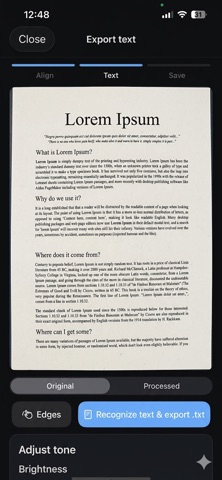
Preview: Switch between Original and Processed looks, and fine-tune brightness, contrast, and softness so text and paper look the way you want.
Save & export: Save to Vault inside the app, export a JPEG to Files, or a PDF file, export recognized text as .txt (OCR), or scan another page to add to a PDF draft.
Vault: your scanned document manager on this device
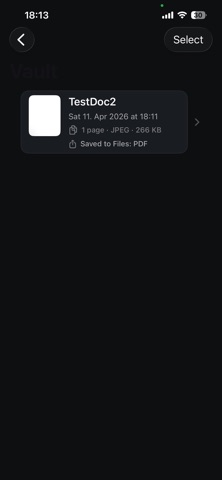
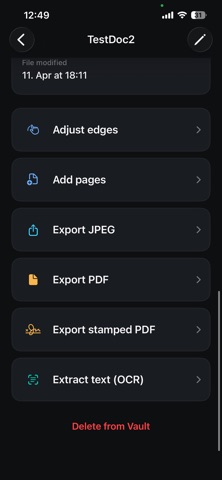
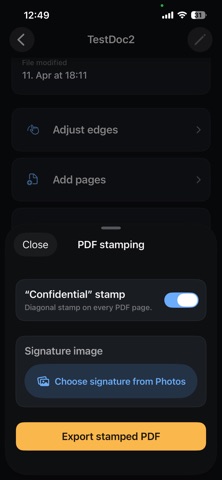
Open the Vault from the scanner screen. Filter by folder, see title, date, page count, format, and size. Open a document to rename it, review metadata, preview pages, adjust tone on the preview, refine edges per page, run OCR, add pages via the camera, export JPEG/PDF or stamped PDF with optional signature image, or delete. Select multiple scans in the list and delete them in one go.

Privacy-minded by design:
Scans and metadata stay on your iPhone or iPad. The app does not ship third-party analytics or cloud SDKs for your scans. The app data can be deleted through Settings all at once.

Simple Camera Scanner is for people who want a focused scanning workflow. Capture, correct, enhance and save files.