





Description
Magic AV Remote — Control Your Receiver from Your Mac Magic AV Remote began the way a lot of good tools do: with an itch nobody else would scratch
Magic AV Remote — Control Your Receiver from Your Mac

  Magic AV Remote began the way a lot of good tools do: with an itch nobody else   would scratch. I owned Pioneer Elite receivers I loved, a Mac I worked on all   day — and yet there was no decent macOS app to control one from the other.   The options were clumsy, abandoned, or simply didn't exist. So I decided the   only way to get it done right was to do it myself. Born from a lifelong   passion for both music and technology, Magic AV Remote is the app I wanted on   my own desk: fast, native, and respectful of the hardware. No phone in hand,   no cloud account, no clutter — just clean, immediate control of your receiver   from the machine that's already in front of you.

  Three protocols, one clean interface

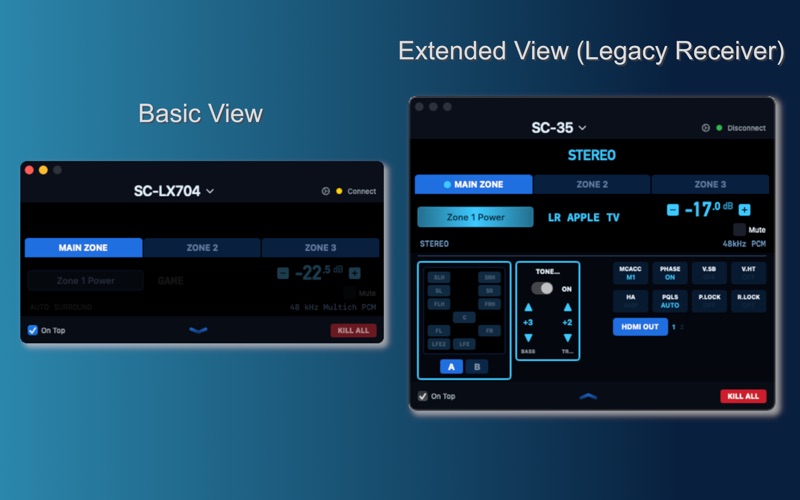
  Magic AV Remote speaks fluently to receivers across the major control   protocols used in home theater over the last decade — Pioneer/Onkyo's modern   (eISCP) protocol, Pioneer's legacy (Telnet) protocol, and Denon's network   control protocol. It connects directly over your local network and adapts its   interface to whatever the connected receiver actually supports, hiding   controls a given model can't use instead of guessing.

  Core control

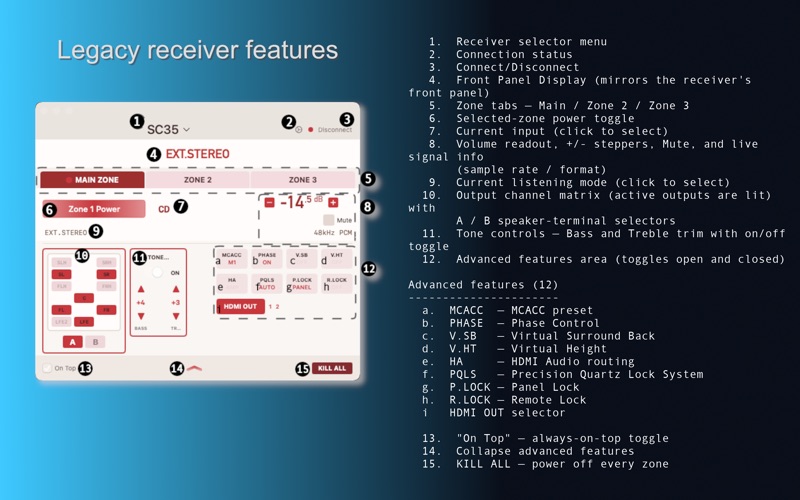
  - One-click power, with precise, dB-accurate volume readout and smooth   press-and-hold ramping   - Mute with clear, visible state   - Full input picker with 40+ source types — on receivers that support it, any   custom input names you've set are read back and displayed   - Browse and apply surround / listening modes, reflected live as the receiver   updates   - Bass, treble, and a multi-band graphic equalizer, where the receiver   supports them

  Multi-zone and multi-receiver

  - Independent control of the Main Zone, Zone 2, and Zone 3 — power, volume,   mute, and input tracked per zone, where the receiver has them   - Open a window for every receiver you own; each window remembers its own   receiver and layout across launches   - Optional floating-window mode keeps the controls above your other work for   one-glance access

  Now playing

  - Playback controls — play / pause / next / previous — for network, iPod, and   USB sources, where the receiver exposes them   - A live mirror of the receiver's front-panel display, on protocols that   provide one

  Built for macOS

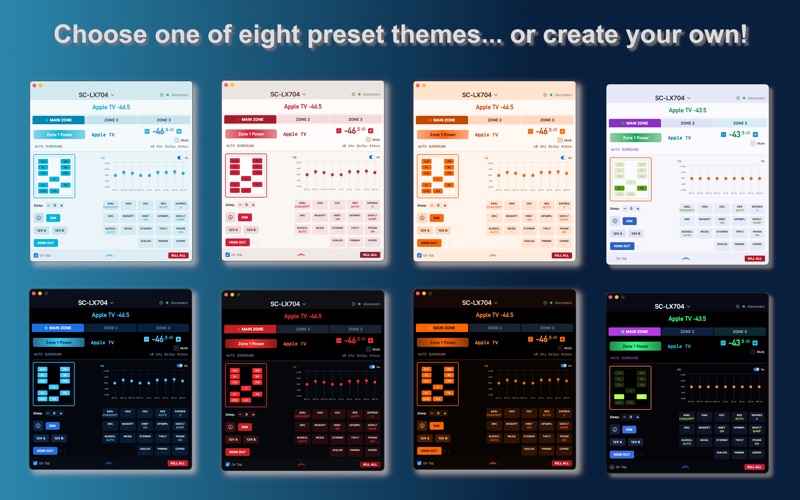
  - Automatic network discovery and reconnection — point it at your network and   it finds your gear   - The Mac's volume and mute keys retarget your receiver while the app is   focused, with no effect on system audio   - Six handcrafted themes (Onyx, Pearl, Ember, Ruby, Amber, Citrine) plus a   full per-color editor, with themes saved per receiver   - Deep Apple Shortcuts integration: power, volume, mute, input, and transport   actions you can trigger by voice, hotkey, schedule, or automation

  Private by design

  Magic AV Remote talks only to your receiver, on your own network. No   telemetry, no analytics, no cloud service, no account. Requires macOS 14   (Sonoma) or later and an Apple Silicon Mac. Magic AV Remote is an independent,   third-party app and is not affiliated with, endorsed by, or sponsored by   Pioneer, Onkyo, Denon, Marantz, Dolby, or any receiver or audio-format   manufacturer. Brand names are referenced only to indicate compatibility.
Category: Utilities(185746)
Version: 1.1
BundleId: com.magicavremote.macapp
Developer: Rob Harrison
Updated: 2026-07-28
