KubeDesk is a professional, keyboard-friendly Kubernetes management tool. Designed for DevOps engineers, SREs, and platform operators who demand speed, efficiency, and a native experience. It supports both local development and remote Kubernetes clusters.

KEYBOARD-FIRST WORKFLOW
• Cmd+K: Instant command palette to jump anywhere
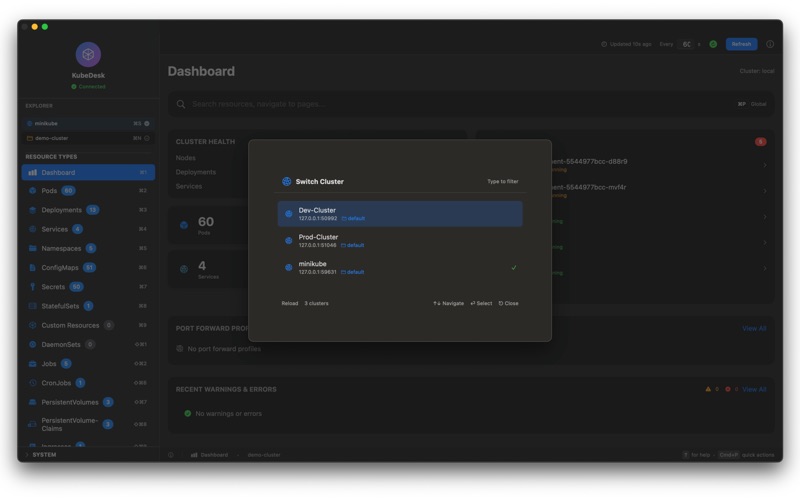
• Cmd+S: Quick cluster switching
• Cmd+Y: View YAML instantly
• Cmd+D: Describe any resource
• Cmd+R: Refresh current view
• Every action has a keyboard shortcut—no mouse required

LIGHTNING-FAST OPERATIONS
• Instant context switching between clusters
• Real-time resource monitoring with auto-refresh
• Debounced search for smooth filtering across thousands of resources
• Native macOS performance—no Electron, no web wrappers
• Optimized refresh strategy: active views first, background later

COMPREHENSIVE RESOURCE MANAGEMENT
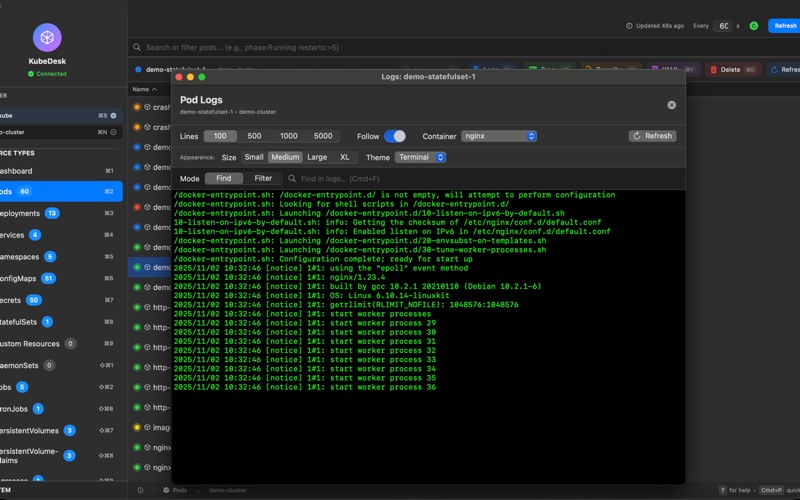
• Pods: View logs, exec into containers, port-forward, delete
• Deployments: Scale, restart, view YAML, describe
• Services: Manage endpoints, port-forward profiles
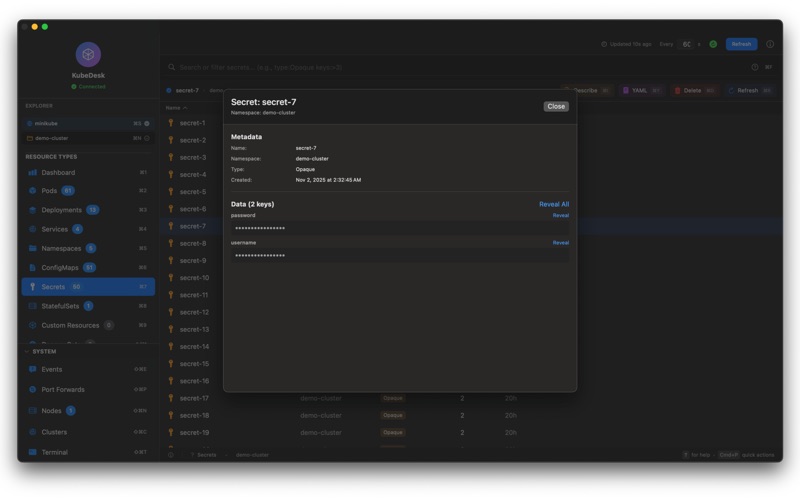
• ConfigMaps & Secrets: View, edit, create, delete
• StatefulSets & DaemonSets: Full lifecycle management
• Nodes: Monitor health, view capacity, drain/cordon

MULTI-CLUSTER MADE EASY
• Automatic kubeconfig detection
• One-click context switching
• Visual cluster health indicators
• Per-cluster namespace management
• Connection status monitoring with auto-reconnect

POWERFUL LOG VIEWER
• Multi-pod log streaming
• Container selection for multi-container pods
• Regex search with highlighting
• Customizable font size and color themes
• Auto-scroll to latest with manual override
• Tail last N lines (configurable)


PROFESSIONAL FEATURES
• YAML editor with syntax highlighting
• Kubectl describe with beautiful formatting
• Resource counts in sidebar
• Sortable table columns
• Collapsible navigation sections
• Compact, space-efficient UI
• Dark mode support

DESIGNED FOR PRODUCTIVITY
• No tabs—single focused view prevents confusion
• Prioritized refresh: clear on switch, load active view first
• Loading indicators instead of blank screens
• Inline autocomplete with Tab completion
• Copy buttons for resource names and IDs
• Confirmation dialogs for destructive actions

SECURITY & PRIVACY
• Uses your existing kubeconfig—no data sent to servers
• All operations run locally on your Mac
• No telemetry, no tracking, no analytics
• Your cluster credentials never leave your machine

PERFECT FOR
• DevOps Engineers managing multiple clusters
• Site Reliability Engineers (SREs) troubleshooting issues
• Platform Engineers building internal platforms
• Kubernetes Administrators handling day-to-day operations
• Development teams working with local clusters (minikube, kind, k3s)

WHY KUBEDESK?
Most Kubernetes tools are web-based, slow, and mouse-heavy. KubeDesk is different:
• Fast, responsive, and familiar
• Keyboard-first—every action is one shortcut away
• Zero configuration—works with your existing kubeconfig
• Professional-grade—built for operators who live in Kubernetes

REQUIREMENTS
• macOS 13.0 (Ventura) or later
• Valid kubeconfig file (~/.kube/config)
• Network access to your Kubernetes clusters

---

Built by operators, for operators. Stop clicking through web UIs. Start commanding your clusters.

Terms of Use: https://kubedesk.app/copyright.html
Privacy Policy: https://kubedesk.app/privacy.html