Hide My Text helps you protect private text and files before you share them.

Write a message, choose a trusted contact, group, or broadcast list, and Hide My Text turns it into hidden encrypted content. Then send it through the messaging, email, or sharing app you already use. Only the trusted recipients you selected can reveal it.

Hide My Text is local-first:
No account.
No email.
No phone number.
No server storing your keys.
No cloud message history.

Your encryption keys stay on your device. Contacts can be added by invitation link or QR code, with a safety phrase comparison before trust is confirmed.

This version adds secure file hiding for supported documents, photos, and videos, plus groups and broadcast lists for sharing private content with more than one trusted recipient.

For stronger pairing, Hide My Text uses hybrid X25519 + ML-KEM-768 key agreement, with local-only keys and encrypted vault storage.

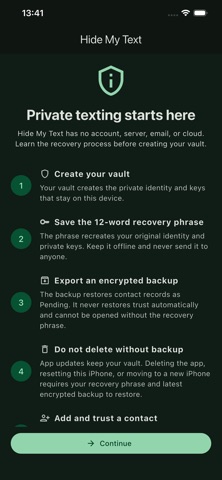
You can create a recovery phrase and encrypted vault backup to restore your identity, contacts, groups, and broadcast lists if you change phones. Restored trust returns safely as pending and must be verified again.

Hide My Text does not replace your messaging apps. It adds a private layer before you send.