风格

截图
9 张截图 网格- 版本
- 1.5.0
- 大小
- 37 MB
- 首次发布
- 2026年6月6日
- 分类
- 软件开发工具
应用介绍
来自 App Store 商店页Requires a Termix server. Install at https://docs.termix.site/install
Termix gives you full control of your servers from your phone. Connect to your Termix server and manage everything from one place.
SSH Terminal
Open multiple terminal sessions at once with tab-based navigation. Switch between a standard keyboard and a custom terminal keyboard built for SSH use. Customize the keyboard layout and key repeat, save snippets for quick reuse, recall past commands from the history bar, and use hardware keyboards, dictation, and VoiceOver. Sessions stay alive in the background.
File Manager
Browse, view, edit, move, and manage files and folders over SSH. Pin files and add folder shortcuts to get back to what you use most. Compress files, download them through the share sheet, and restore deleted items from the trash.
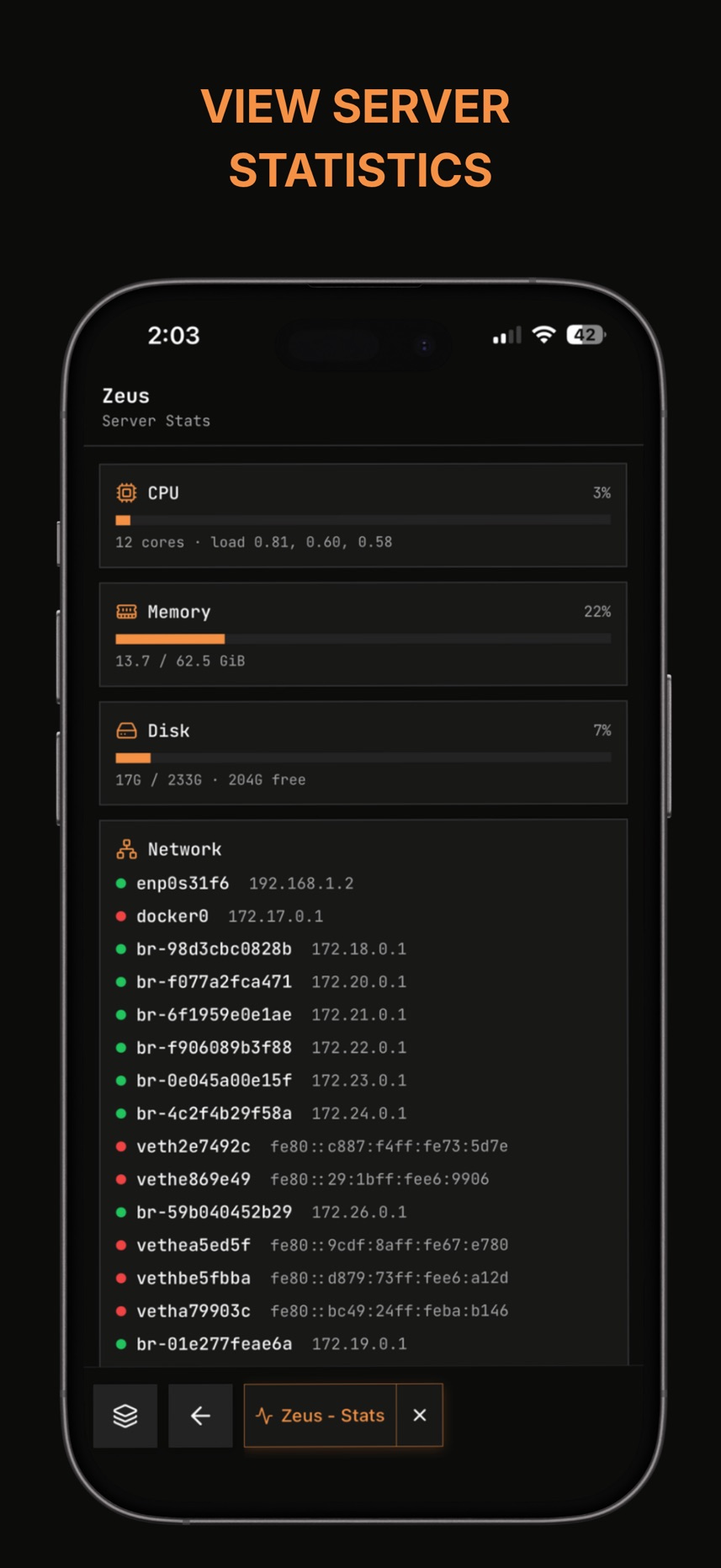
Server Stats
Monitor CPU, memory, disk, network, uptime, running processes, open ports, firewall rules, and login history in real time. Server alerts show up on the hosts screen.
SSH Tunnels
Create, start, and stop SSH tunnels, and set them up per host right from the host editor.
Docker
View and manage Docker containers directly from your phone.
Remote Desktop
Access a graphical desktop on your server (RDP, VNC, and Telnet supported).
Home Screen Widgets
Add widgets to jump straight into a host, run a snippet, or check server status without opening the app. Pick which hosts each widget shows and which tab it opens.
Host Management
Organize your servers into folders. Save credentials and SSH keys per host. Use Quick Connect to jump into a session fast, and wake a machine over the network with Wake-on-LAN.
Settings
Customize your terminal appearance, keyboard layout, and keys. Manage API keys, active sessions, and two-factor authentication for your Termix account, plus change your password or delete your account.
App Lock
Lock the app behind Face ID, Touch ID, or fingerprint, with a PIN as backup.
用户评价
0 条文字评价暂无文字评价
分享卡片 #
Instagram / 微博 / 小红书 会拉起系统分享并附带生成的卡片图
Termix - Remote Access
软件开发工具
免费
iOSAppGallerywww.iOSAppGallery.com


Termix - Remote Access
软件开发工具
免费
扫码查看详情
iOSAppGallery · iOSAppGallery.com
发现好玩的 iOS 应用与游戏
Termix - Remote Access
软件开发工具
免费
扫码查看详情
iOSAppGallery · iOSAppGallery.com
发现好玩的 iOS 应用与游戏
Termix - Remote Access
软件开发工具
免费
iOSAppGallerywww.iOSAppGallery.com


{"@context":"https://schema.org","@graph":[{"@type":"SoftwareApplication","name":"Termix - Remote Access","applicationCategory":"\u8F6F\u4EF6\u5F00\u53D1\u5DE5\u5177","operatingSystem":"iOS","url":"http://www.iosappgallery.com/zh-CN/share/6752672071","image":"https://is1-ssl.mzstatic.com/image/thumb/Purple211/v4/43/c5/15/43c51551-134d-3423-ef74-24ca5fd764d1/AppIcon-0-0-1x_U007epad-0-1-85-220.png/512x512bb.jpg","aggregateRating":{"@type":"AggregateRating","ratingValue":4.5,"ratingCount":2,"bestRating":5},"offers":{"@type":"Offer","price":0.000,"priceCurrency":"CNY"}},{"@type":"BreadcrumbList","itemListElement":[{"@type":"ListItem","position":1,"name":"Apps","item":"/"},{"@type":"ListItem","position":2,"name":"\u8F6F\u4EF6\u5F00\u53D1\u5DE5\u5177"},{"@type":"ListItem","position":3,"name":"Termix - Remote Access"}]}]}