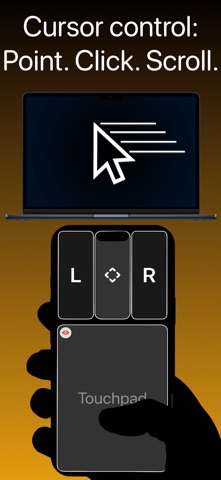
iKontroller transforms your iPhone and iPad into the perfect controller for your Mac
iKontroller transforms your iPhone and iPad into the perfect controller for your Mac.

How does iKontroller achieve this?

• Touchpad
High-precision touchpad with relative and absolute modes. Relative mode is used in games to move the camera around. Absolute mode is used to move your cursor around.

• Left region & Right region / Combined Left & Right region
Left region allows you to perform the left single click, double/triple click and long press.
Right region allows you to perform the right single click, double/triple click and long press.

• Scroll region
It allows you to scroll vertically or horizontally.

• Button
You can map a button to a specific key on your keyboard. Once mapped, pressing that button will trigger the corresponding key on your Mac.

• Joystick
You can map a joystick to 4 specific keys on your keyboard. Once mapped, moving the joystick in any direction will trigger the corresponding key(s) on your Mac.

• Gyrostick
You can map a gyrostick to 4 specific keys on your keyboard. Once mapped, tilting and rotating your device in any direction will trigger the corresponding key(s) on your Mac.


How does iKontroller connect to my Mac?
• Wi-Fi network, Cellular network, USB-C cable or Lightning cable


What does iKontroller require?
• Local network permission
• The companion app named „iKontroller Desktop“ on your Mac. App Store link: https://apps.apple.com/app/ikontroller-desktop/id6755576478?mt=12


For more info; visit iKontroller support: https://biskuitmarie.github.io/ikontroller-support/