One-Click Audition Importing for Working Actors.
Add auditions from casting sites straight into your Track My Auditions dashboard — instantly.
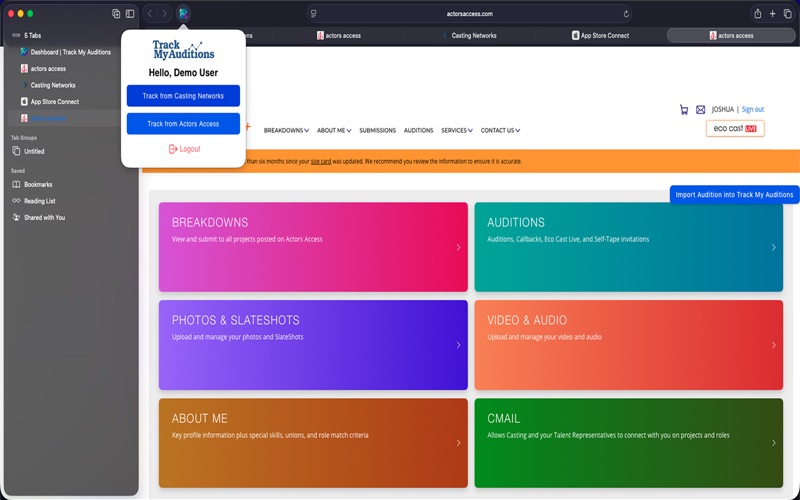
The Track My Auditions extension makes audition tracking effortless. When you’re logged into your Track My Auditions profile, you’ll see an import button on supported casting platforms. Click once, and the audition data appears in your dashboard — organized, saved, and ready to review.
Why actors love it:
:zap: Instantly import auditions with a single click
:memo: No more copy/paste or juggling tabs
:arrows_anticlockwise: Works quietly in the background — detects your Track My Auditions login automatically
:lock: Secure & private: all actions process locally in your browser
:chart_with_upwards_trend: Keeps your audition history organized and complete so you can track your growth with confidence
How it works:
Install the extension.
Log in to your Track My Auditions account.
Visit your audition invitation on a supported casting platform.
Click the “Import Audition” button.
That’s it — your audition is saved to your dashboard.
Built for actors who want clarity, consistency, and a streamlined workflow — without extra admin.