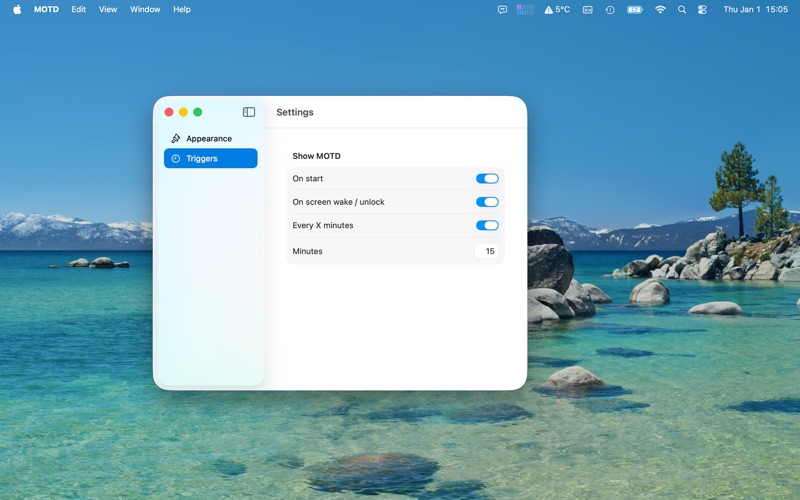
QotD (Quote of the Day) displays a random quote in a popup when your computer starts, as well as at other moments you choose
QotD (Quote of the Day) displays a random quote in a popup when your computer starts, as well as at other moments you choose.

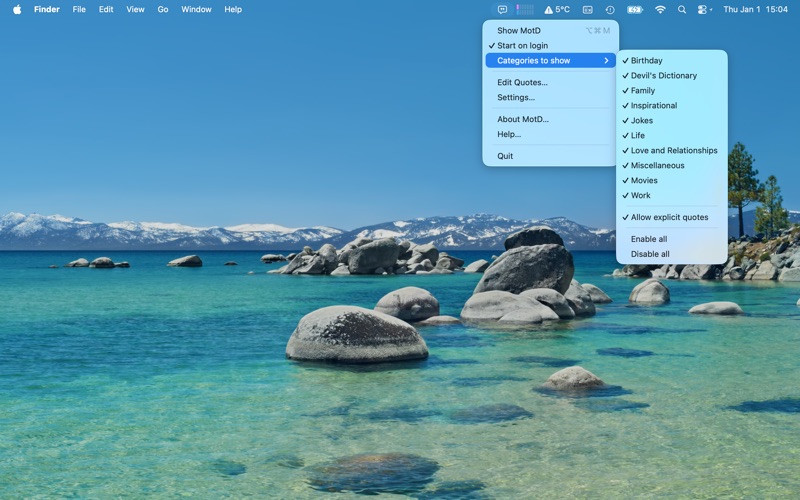
QotD runs as a lightweight menu bar app and remains accessible from its icon at the top of the screen. It stays active until you quit it. When “Start at login” is enabled, QotD becomes available automatically after restart.

From the menu bar, you can:
- Display a random quote instantly
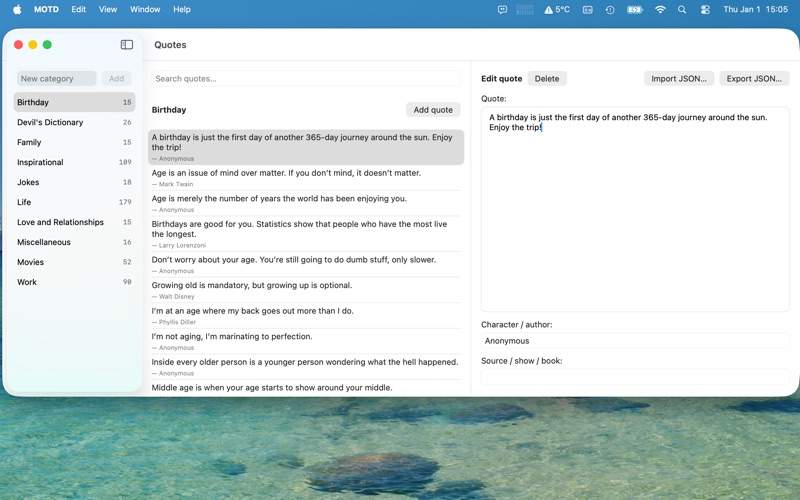
- Open the Quote Editor to edit, delete, import or export quotes
- Open Settings to control the quote appearance and set a hotkey for the quote popup
- Enable or disable quote categories and control whether explicit quotes should be shown
- Quit the app

QotD includes a curated collection of more than 500 quotes across 10 categories. An integrated editor allows you to add your own quotes or remove any you don’t want.

All quotes and settings are stored locally on your device. The app works entirely offline and does not transmit any data.