



Description
TimerDo — Focus & Task Manager Your tasks and focus timer, now on your Mac
TimerDo — Focus & Task Manager

Your tasks and focus timer, now on your Mac.

TimerDo for Mac is the full-featured companion to TimerDo on iPhone. Manage everything from a clean sidebar, run focus timers while you work, and capture tasks from anywhere on your desktop — without interrupting what you're doing.

EVERYTHING IN SYNC

Add a task on your iPhone and it appears on your Mac in seconds. Complete something on your Mac and it's gone from your phone. iCloud sync works silently in the background — your data always matches, on every device.

BUILT FOR THE MAC

TimerDo isn't an iPhone app scaled up. It's a native macOS app designed for how you actually work at a desk:

Sidebar navigation — jump between Inbox, Today, Upcoming, Logbook, Projects, and Areas instantly
Menu bar timer — see your live countdown right in the menu bar while you use other apps
Quick Add from menu bar — add tasks from the menu bar icon without switching windows
Quick Capture panel — press ⌘⌥N from anywhere on your desktop to capture a task instantly, even when TimerDo is in the background
FOCUS TIMER

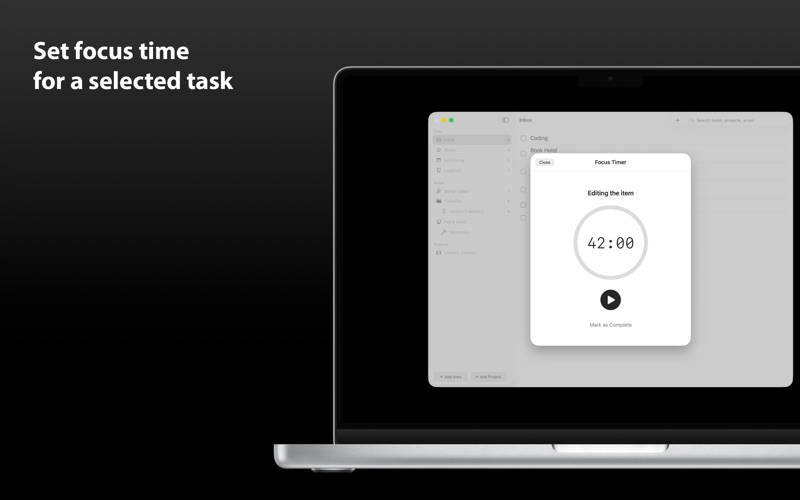
Assign a timer of up to 60 minutes to any task. Start it and work — TimerDo counts down in the background and completes the task automatically when time is up. Your menu bar shows the live countdown so you always know how much time is left.

PROJECTS & AREAS

Organize everything the way your work is structured. Create Areas for broad categories like Work or Personal. Add Projects inside them for specific goals. Assign tasks to projects and track how much focus time each one needs.

RECURRING TASKS

Set any task to repeat on a schedule — daily, weekly, monthly, or custom. The next occurrence is created automatically when you complete one.

UNIVERSAL PURCHASE

Already have TimerDo on iPhone? You get the Mac app for free — no extra purchase needed. One app, all your Apple devices.

PRIVATE BY DESIGN

No account required. No analytics. No tracking. Your tasks live in your private iCloud account and on your devices — nowhere else.

Requires macOS 14 (Sonoma) or later. iCloud sync requires an active iCloud account with iCloud Drive enabled.
