# Pencil Notes — Your Simple Apple Pencil Notebook
Turn your iPad into a simple, distraction-free notebook designed for Apple Pencil
# Pencil Notes — Your Simple Apple Pencil Notebook

Turn your iPad into a simple, distraction-free notebook designed for Apple Pencil.

Write naturally, organize your ideas, annotate documents, and export your work — all without subscriptions or complicated setup.

##  WRITE NATURALLY

Pencil Notes is built around the feeling of writing on real paper.

• Write with Apple Pencil
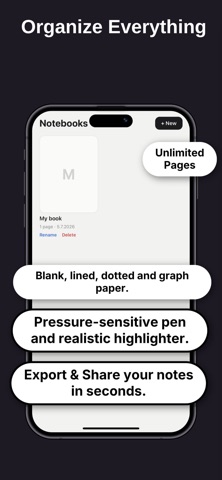
• Create unlimited notebooks and pages
• Choose blank, lined, dotted, or grid paper
• Use a pressure-sensitive pen
• Highlight important ideas
• Undo and redo with ease
• Zoom and pan while writing

Whether you're taking notes, planning your day, journaling, brainstorming, or simply sketching, Pencil Notes keeps things simple.

##  WRITE ON PDFs

Import a PDF and write directly on it with Apple Pencil.

Highlight text, add handwritten notes, draw, underline, circle important information, and mark up documents naturally.

Perfect for:

• Study materials
• Lecture notes
• Work documents
• Forms and worksheets
• Research papers
• Presentations
• Personal documents

## ANNOTATE IMAGES

Import an image and use your Apple Pencil to write, draw, mark up, or add notes directly on it.

##  EXPORT YOUR WORK

When you're finished, export your handwritten pages, PDF annotations, or marked-up images and share them wherever you need.

##  PRIVATE BY DESIGN

Your notes stay on your iPad.

No account required.
No subscription.
No cloud storage.
No ads.

Just open the app and start writing.

##  MADE FOR EVERYDAY USE

Use Pencil Notes for:

• Class and lecture notes
• Meetings
• To-do lists
• Journaling
• Planning
• Brainstorming
• Sketching
• PDF annotation
• Document markup
• Personal notes

## SIMPLE BY CHOICE

Pencil Notes isn't trying to replace every app on your iPad.

It's a simple place to write.

Open it. Pick a page. Grab your Apple Pencil. Start writing.

**Pencil Notes is available for a one-time purchase — no recurring subscription.**